Note: Auto mode only will be available in HDMI, YPbPr
and DTV sources.
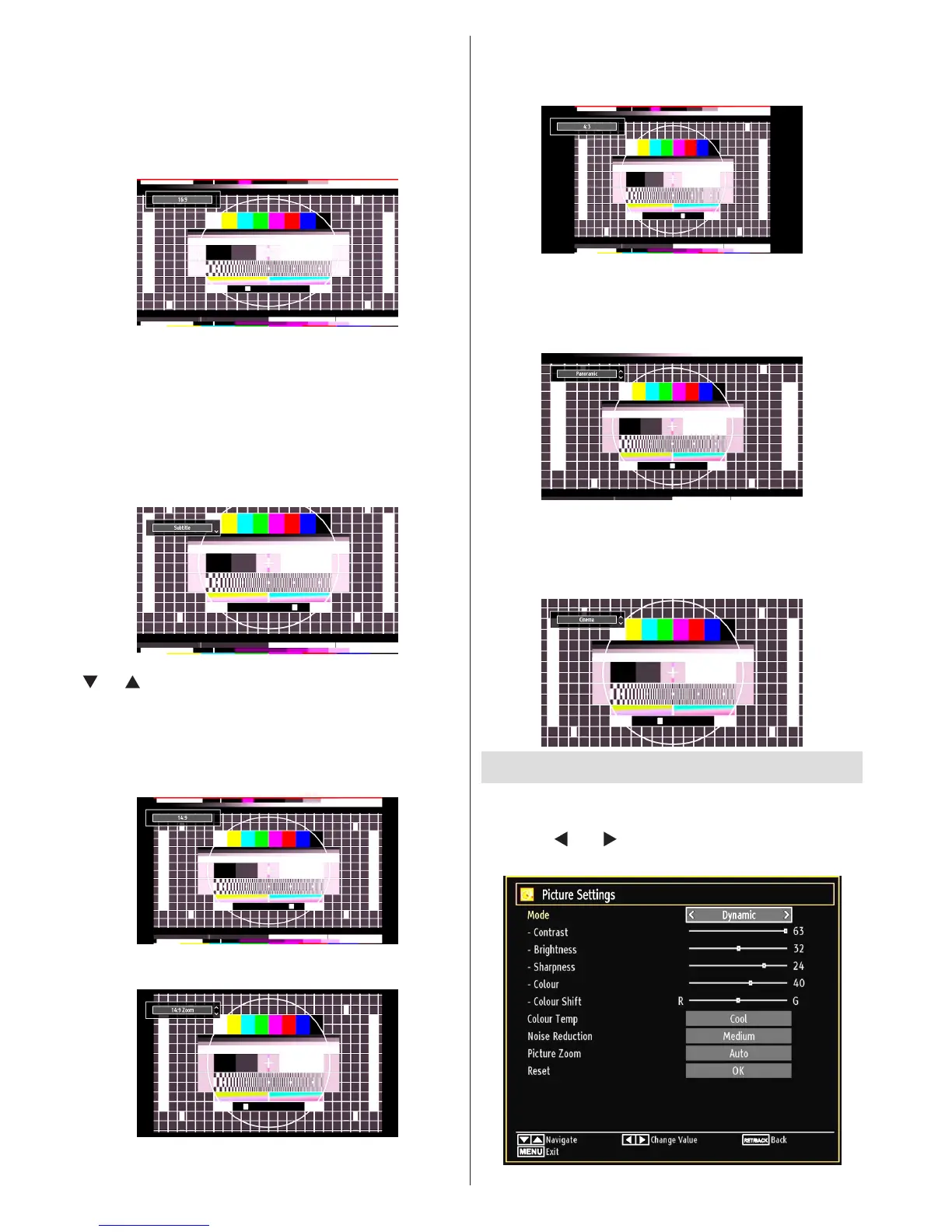
16:9
This uniformly stretches the left and right sides of a
normal picture (4:3 aspect ratio) to ll the wide TV
screen.
For 16:9 aspect ratio pictures that have been •
squeezed into a normal picture (4:3 aspect ratio),
use the 16:9 mode to restore the picture to its
original shape.
Subtitle
This zooms up the wide picture (16:9 aspect ratio)
with subtitles to the full screen.
Note: You can shift to screen up or down by pressing
“ ” / “ ” buttons while picture zoom is selected as
panaromic, 14:9 Zoom, Cinema or Subtitle.
14:9
This zooms up the wide picture (14:9 aspect ratio) to
the upper and lower limits of the screen.
14:9 Zoom
This option zooms to the 14:9 picture.
4:3
Use to view a normal picture (4:3 aspect ratio) as this
is its original size.
Panoramic
This stretches the left and right sides of a normal
picture (4:3 aspect ratio) to ll the screen, without
making the picture appear unnatural.
The top and bottom of the picture are slightly cut off.
Cinema
This zooms up the wide picture (16:9 aspect ratio) to
the full screen.
Conguring Picture Settings
You can use different picture settings in detail.
Press “MENU” button and select the Picture icon
by using “
” or “ ” button. Press OK button to view
Picture Settings menu.






 To Next Page