
 Need help?
Do you have a question about the Salora 50LED8100CS and is the answer not in the manual?
Key warnings and precautions for safe operation and handling of the device.
Details on energy saving modes and automatic standby notifications.
Lists the main product features and included accessories.
Explains how to use the physical control buttons on the TV.
Step-by-step guide for inserting batteries into the remote control.
Instructions for connecting the power cord and antenna/cable.
Information on proper disposal of old equipment and batteries.
Lists the main technical specifications of the television.
Step-by-step guide for initial setup and language selection.
Instructions for aerial and cable channel installation.
How to play media files from a USB drive.
Accessing and using the quick settings menu.
Configuring loop and shuffle options for media playback.
How to access and use Teletext features on the remote.
Assigning custom functions to specific remote buttons.
Details all available connection ports for external devices.
Adjusting picture quality settings like mode, contrast, and brightness.
Detailed picture settings including zoom, colour temp, and PC mode adjustments.
Options for adjusting volume, equalizer, sound mode, and headphone output.
Configuration options for language, parental controls, and timers.
Other configurable settings like menu timeout, software upgrade, and modes.
Steps for automatic and manual channel scanning and fine-tuning.
Editing and organizing the stored channel list.
Setting up locks for programmes, channels, and menus.
Using the TV guide to view programme schedules.
Connecting the TV to a wired network and modem.
Instructions for connecting to a wireless network using a USB dongle.
Settings for wired and wireless network types and IP address configuration.
Connecting a smartphone to the TV via Wi-Fi for content sharing.
Common issues and solutions for network connectivity problems.
Configuring DLNA for sharing media content over the network.
How to access and browse portal applications and web content.
Explanation of the PIP window functionality within the portal.
Searching for and installing software updates manually.
How the TV performs automatic software updates.
Solutions for TV not turning on, poor picture, or no sound.
Troubleshooting remote control and input source selection difficulties.
Step-by-step instructions for installing Nero MediaHome software.
Typical display modes supported for PC input.
Supported signals for AV and HDMI connections.
List of media file formats compatible with USB playback.
How to navigate the browser and use remote shortcuts.
Viewing and clearing browsing history and cookies.
Connecting webcam, network, and camera for Skype.
Process for creating or logging into a Skype account.
Adding, searching, and managing Skype contacts.
Viewing and managing past Skype call records.
Initiating voice and video calls with contacts.
Managing incoming calls and call dialogs.
Making calls to phone numbers using Skype Credit.
Adjusting various settings within the Skype application.
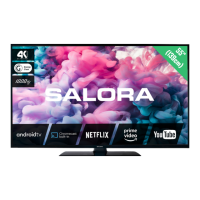
Identifying the product brand, model, and energy efficiency class.
Screen size and average power consumption specifications.
Detailed breakdown of power consumption in various modes.
Technical details on the screen's pixel resolution.
 General
| Screen shape | Flat |
|---|---|
| Response time | 8 ms |
| Display diagonal | 50 \ |
| Display brightness | 350 cd/m² |
| LED backlighting type | - |
| Contrast ratio (typical) | 5000:1 |
| Display diagonal (metric) | 127 cm |
| Screen format adjustments | 16:9 |
| Viewing angle, horizontal | 170 ° |
| Supported graphics resolutions | 1920 x 1080 (HD 1080) |
| Motion interpolation technology | BPR (Best Picture Rate) 100 Hz |
| 3D | No |
| Annual energy consumption | 135 kWh |
| Tuner type | Digital |
| Digital signal format system | DVB-C, DVB-T |
| RMS rated power | 16 W |
| Number of speakers | 2 |
| DVI-D ports quantity | 0 |
| USB 2.0 ports quantity | USB 2.0 ports have a data transmission speed of 480 Mbps, and are backwards compatible with USB 1.1 ports. You can connect all kinds of peripheral devices to them. |
| Compatible memory cards | Not supported |
| Component video (YPbPr/YCbCr) in | 1 |
| Video apps | YouTube |
| Lifestyle apps | Facebook, Skype, Twitter |
| Video formats supported | MPEG4 |
| Product color | Black |
| Panel mounting interface | 400 x 400 mm |
| Power consumption (standby) | - W |
| Power consumption (typical) | 93 W |
| Package depth | 775 mm |
| Package width | 1280 mm |
| Package weight | 25000 g |
 Weight and Dimensions
| Depth (with stand) | 224 mm |
|---|---|
| Height (with stand) | 730 mm |
| Depth (without stand) | 42 mm |
| Width (without stand) | 1165 mm |
| Height (without stand) | 686 mm |
| Weight (without stand) | 22000 g |



 To Next Page