8 9
Using the device
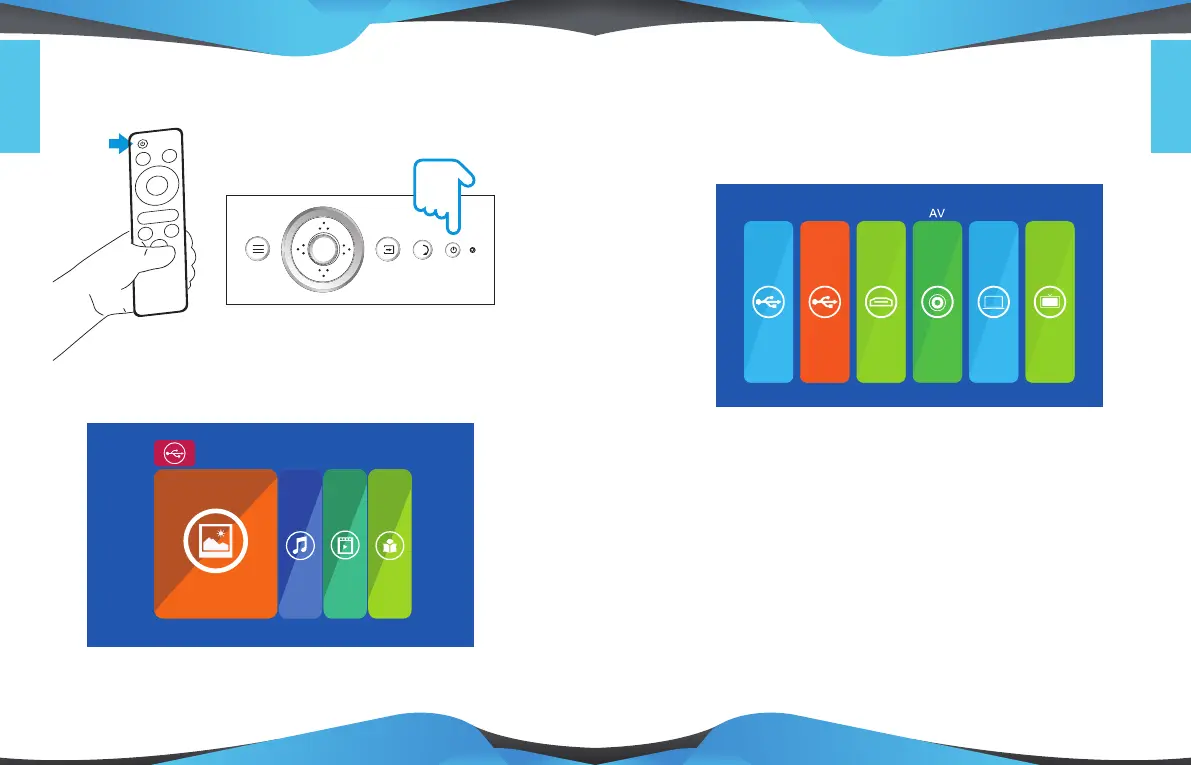
1.How to turn on the device
Once you have switched on the device, the main menu will appear.
PHOTO MOVIE MUSIC E-BOOK
USB 2.0
2.Selecting the input source
USB-I USB-II HDMI PC-RGB
English
English
ENT ER
* This menu is available with a USB connection. In these instructions guide
you can see how to select this input source.
Press the SOURCE button on the top panel or the INPUT button on the
remote control, select the desired input source, using the navigation keys.
When the device is turned on, the main menu will appear.
TV
* Input sources may vary, depending on the model.
Press



 To Next Page