34
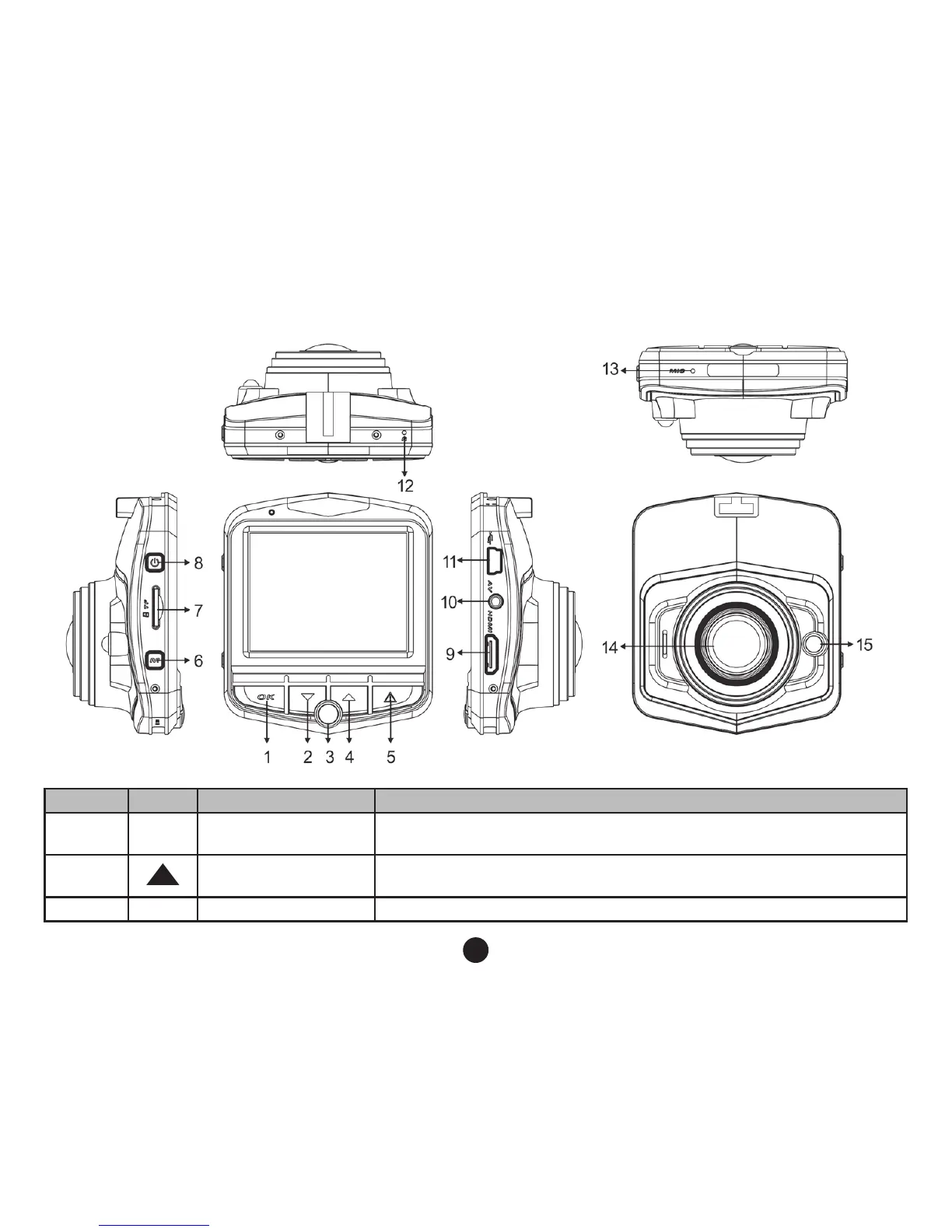
Keys and interface description
Number Icon Name Operating Instructions
1 OK OK key
Camera/camera/conrm: a short press to start the camera, the will go
in camera mode and start recording, press again to stop recording;
2
Down key
Menu options, you can select: standby or video, night vision lights on
or off.
3 P Parking Mode key You can active or deactivate the parking mode



 To Next Page