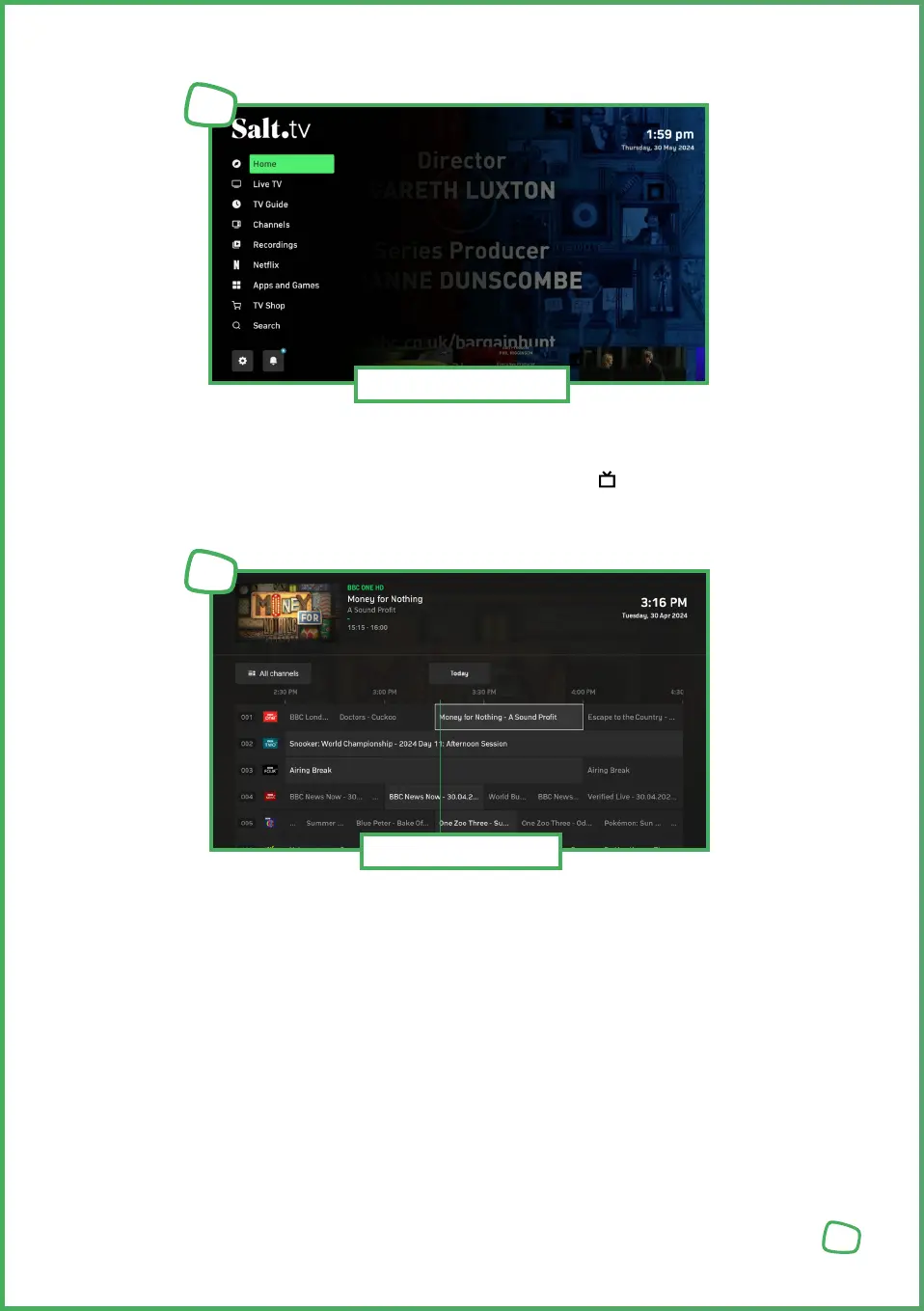
You can open the Guide through the „TV Guide“ entry in the main menu. It lists all
available channels and displays the available programme lineup on a time axis.
You can also directly open the TV Guide using the GUIDE button on the remote control.
In the TV Guide, you can navigate to your desired channel and start watching their program.
Additionally, short descriptions of the content are provided for each program.
The guide displays the current and upcoming program, including titles, starting times
and durations.
The program is shown on a time scale with 30-minute increments, with the coloured
line indicating the current time.
The list of channels and favourites is represented by the channel logos. You can switch
the Guide view between „All Channels“ and „Favourites“.
You can use the direct number entry keys from your remote control to directly access
the program of a channel of interest.
14
Opening the TV Guide
3
TV Guide
4


 To Next Page
 Loading...