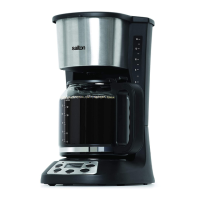
8. Always turn off the Coffee Maker and unplug from the wall outlet
when not in use.
Delayed Brewing
1. Fill the Water Reservoir with fresh cold water for the desired number
ofcups.FilltheWaterReservoirbyrstllingtheCarafeandthen
pouring water into the Water Reservoir.
NOTE:DonotllabovethemaximumWaterLine(14)orless
thantheminimumWaterLine(4)indicatedontheCarafeandWater
Reservoir.
2. RemovetheReusableFilterandllwiththedesiredamountofground
coffee.
NOTE:Usecoffeethatisgroundspecicallyforautomaticdripcoffee
makers. Usually one Coffee Measuring Scoop or a level tablespoon
of ground coffee is used for each cup of coffee. Adjust the amount to
your personal taste.
3. RepositiontheReusableFilterandclosetheLid.
NOTE:IftheLiddoesnotclosecompletely,ensurethattheFilter
Holder and Reusable Filter are properly seated in position.
4. PlacetheCarafewithLidontheKeepWarmPlate.
5. PressthePROGButtontwicetosetthetimefortheDelayedBrew
Cycle.(NOTE:ThewordTIMERwillappearinthetopleftcornerof
the display)
6. PresstheHRandMINButtonsuntilthedesiredbrewstarttime
displays. Ensure that the AM or PM display is correct.
7. PresstheAUTOButtonandthegreenAUTOIndicatorLightwill
illuminate.
8. The Digital Display will switch back to the current time when the
AUTOButtonisreleased.ToseetheDelayedBrewstarttimepress
thePROGButtononce.
NOTE:Youcancancelthedelaystarttimebypressingthe
ON/OFF Button.
9. OncetheclockreachesthepresettimetostarttheBrewCycle,the
greenAUTOIndicatorLightwillgooutandtheredONIndicatorLight
will illuminate and the brew cycle will start.
10.Afterthebrewcycleisnished,theCoffeeMakerwillautomatically
switchoverto‘KeepWarm’modeforthenexttwohours.The‘Keep
WarmCycle’willshutoffautomaticallyandthe‘On’IndicatorLightwill
gooutattheendofthe2hours.NOTE:Thekeepwarmtimewillbe
2 hours less the amount of time for the brew cycle. If you wish to turn
offtheCoffeeMakerbefore2hourshaselapsed,presstheON/OFF
Buttononceandunplugthecoffeemakerfromthewalloutlet.
6


 To Next Page