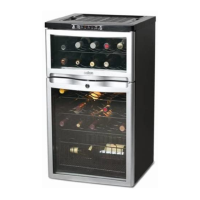
Need help?
Do you have a question about the Salton WC2002 and is the answer not in the manual?
Displays temperature and status information.
Button to increase the set temperature.
Button to decrease the set temperature.
Controls interior light and temperature unit selection.
Shelves designed to hold wine bottles.
Adjustable feet for stable placement.
Helps maintain air quality and cooling efficiency.
Interior illumination for viewing bottles.
Instructions for optimal unit placement and clearance for airflow.
Guidelines for indoor use and ambient temperature limits for efficient cooling.
Proper method for connecting to a 120 volt wall outlet.
Explanation of the control panel buttons and display functions.
Optimal temperature ranges for different wine types.
Instructions for cleaning the interior, exterior, and removable parts.
Note on cleaning the air filter every six months for optimal performance.
 General
| Capacity | 20 bottles |
|---|---|
| Cooling System | Thermoelectric |
| Door Material | Glass |
| Color | Black |
| Temperature Range | 46°F to 66°F |

 To Next Page