18 EN
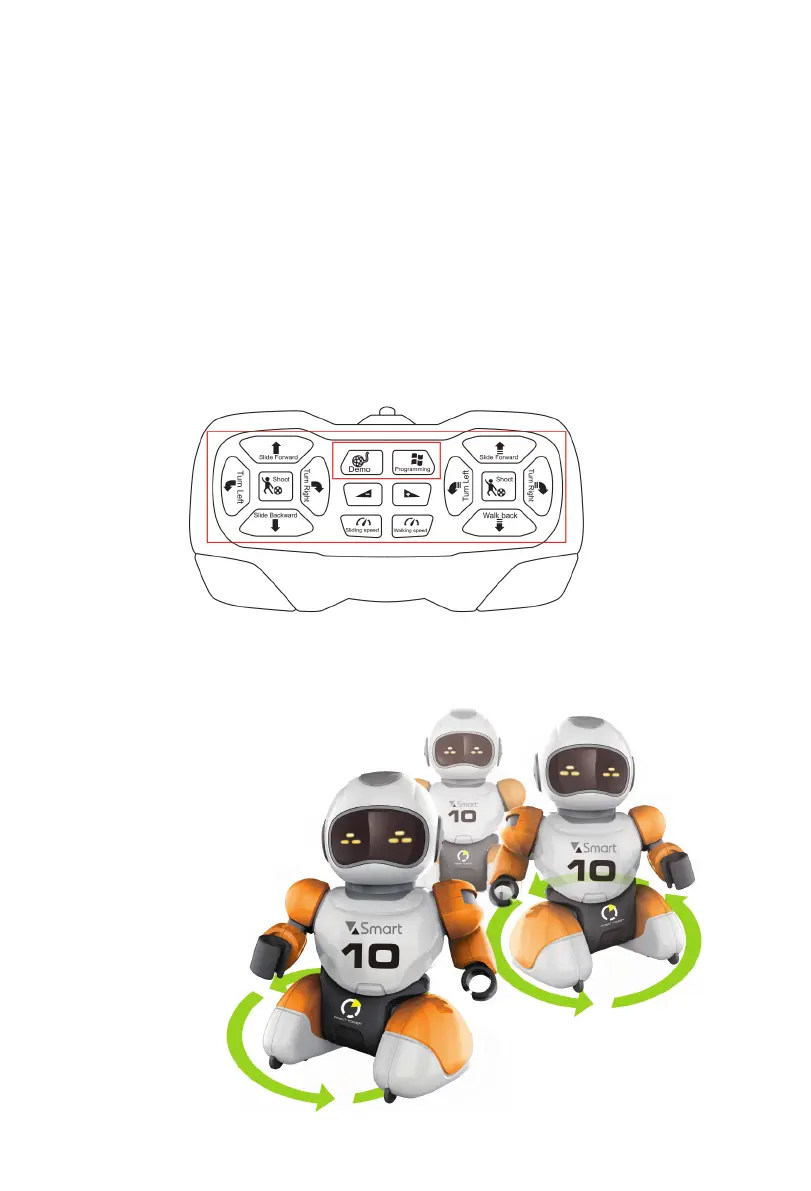
12. CHANGING SPEED WHEN MOVING
Having received a signal about speed change, the robot changes the speed of
movement.
13. CHANGING SLIDING SPEED
Having received a signal about sliding speed change, the robot starts moving faster or
slower.
14. VOLUME UP
Press the button to increase volume.
15. VOLUME DOWN
Press the button to decrease volume. The default volume is 85 dB.
16. PROGRAMMING BUTTON
Press the button to make the robot replay the previous action. Supports up to 20 signals.
17. DEMO
After pressing the «DEMO» button, the robot enters demo mode and starts dancing
to one of the following songs:
1. Ole ole ole.
2. The Cup of Life.
3. Waka Waka.
4. Seve.
5. Panama.


 To Next Page