EasyManua.ls Logo

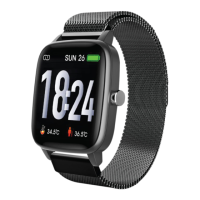
Sami Wearable MOON WS-2380 - User Manual

Default Icon
11 pages
Print Icon
To Next Page IconTo Next Page
Loading...
WEARABLE
User Manual
WS-2380
Thank you for purchasing the Sami wearable WS-2380. Read the instructions carefully to obtain
optimum results and preserve it for future reference. Sami has developed wearable devices since
2015 and we use the best components possible for the product.
DESCRIPTION OF THE WEARABLE.
CONTENTS.
Wearable, Magnetic Base charger , instruction manual.
CHARGING.
Connect the device to a computer or laptop with the USB Magnetic base for charging. Put in
contact the magnetic end of the USB cable with the charging points positioned in the back of your
device. Kindly use only the USB cable included with the wearable. If you use a power adapter for
charging, the output of the power adapter should be 5V, 1A. Charging time: 2 hours. Please charge
the device fully before using. Be careful the charging cable shall not be laid on any metal objects
with its end which have metal contacts, in case the charging cable damaged due to short circuit.
Question and Answer IconNeed help?

Do you have a question about the Sami Wearable MOON WS-2380 and is the answer not in the manual?

Summary

DESCRIPTION OF THE WEARABLE.

Wearable Components Overview

Details physical parts of the wearable, including buttons, screen, and sensors.

CONTENTS.

CHARGING.

HOW TO POWER ON; POWER OFF?

HOW TO CONTROL?

GETTING STARTED.

Android Setup Guide

Instructions for setting up the wearable with an Android smartphone via the RDFit app.

BLUETOOTH HANDS FREE CONNECTION.

iPhone Bluetooth Pairing

Steps for pairing the wearable with an iPhone using the RDFit application.

PRODUCT FEATURES

USE OF THE TOUCH SCREEN

Touchscreen Navigation

Explains swipe gestures for navigating the wearable's interface and accessing menus.

Quick Access Functionality

Details functions accessible via quick menus and specific page navigations.

LIST VIEW MENU FUNCTIONS

Smart Watch Features

Phone Call Functionality

Enables making and receiving calls directly from the smartwatch via Bluetooth.

MORE FUNCTIONS ON THE MENU

Health Monitoring Functions

Guides on using features like Blood Pressure and Oxygen Level measurement.

Sport Modes

BUSINESS CARD

***More functions in RDFIT APP***

RDFIT App Extended Features

Details advanced features available through the RDFit app, including watch faces and notifications.

CLEANING:

TECHNICAL SPECIFICATIONS:

Declaration of Conformity

Sami Wearable MOON WS-2380 Specifications

General IconGeneral
Resolution240 x 240 pixels
Battery LifeUp to 7 days
Water ResistanceIP67
ConnectivityBluetooth 4.0
Weight50 grams
CompatibilityAndroid, iOS
SensorsHeart rate, accelerometer

Related product manuals