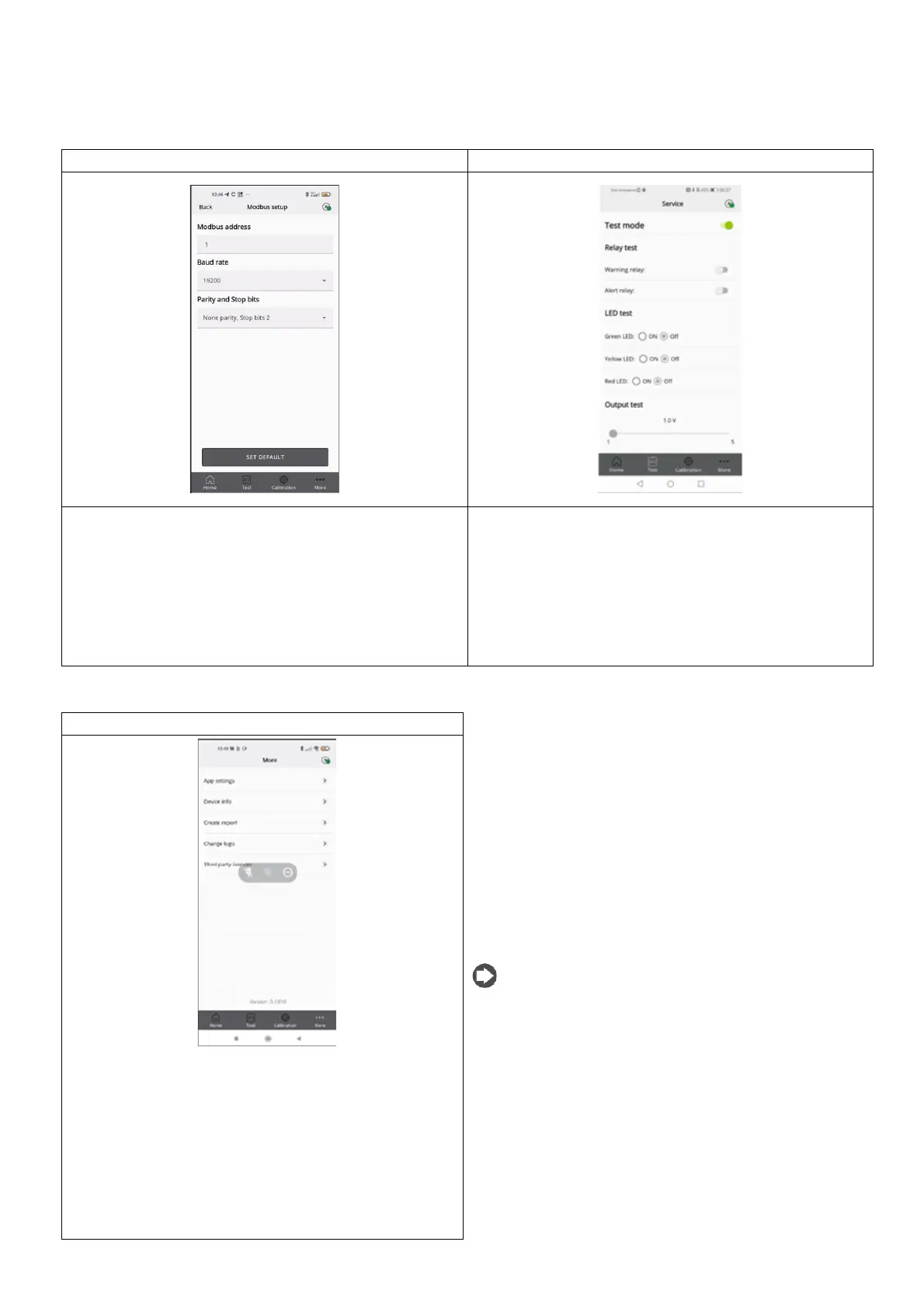
The following parameters can be set:
• Modbus address
• Baud rate
• Parity and stop bits.
Pressing SET DEFAULT sets the default parameters shown in the table
in the Modbus setup paragraph (Does not affect the Modbus
address.).
If enabled, the following functions can be activated in test mode, i.e.
not corresponding to the behaviour of the device, rather for
debugging:
• Warning relay
• Alarm relay
• Green LED
• Red LED
• Yellow LED
• Analogue output
Displays the app technical and legal information.
• App settings, change the unit of measure for the
temperature displayed in the app
• Device Info, view information on the currently connected
device
• Create report: to make a copy of the most recent report
generated
• Change logo, to replace the default logo that is shown on the
calibration certificate with a different one
• Third party license, see information on the third-party
licenses used.



 To Next Page