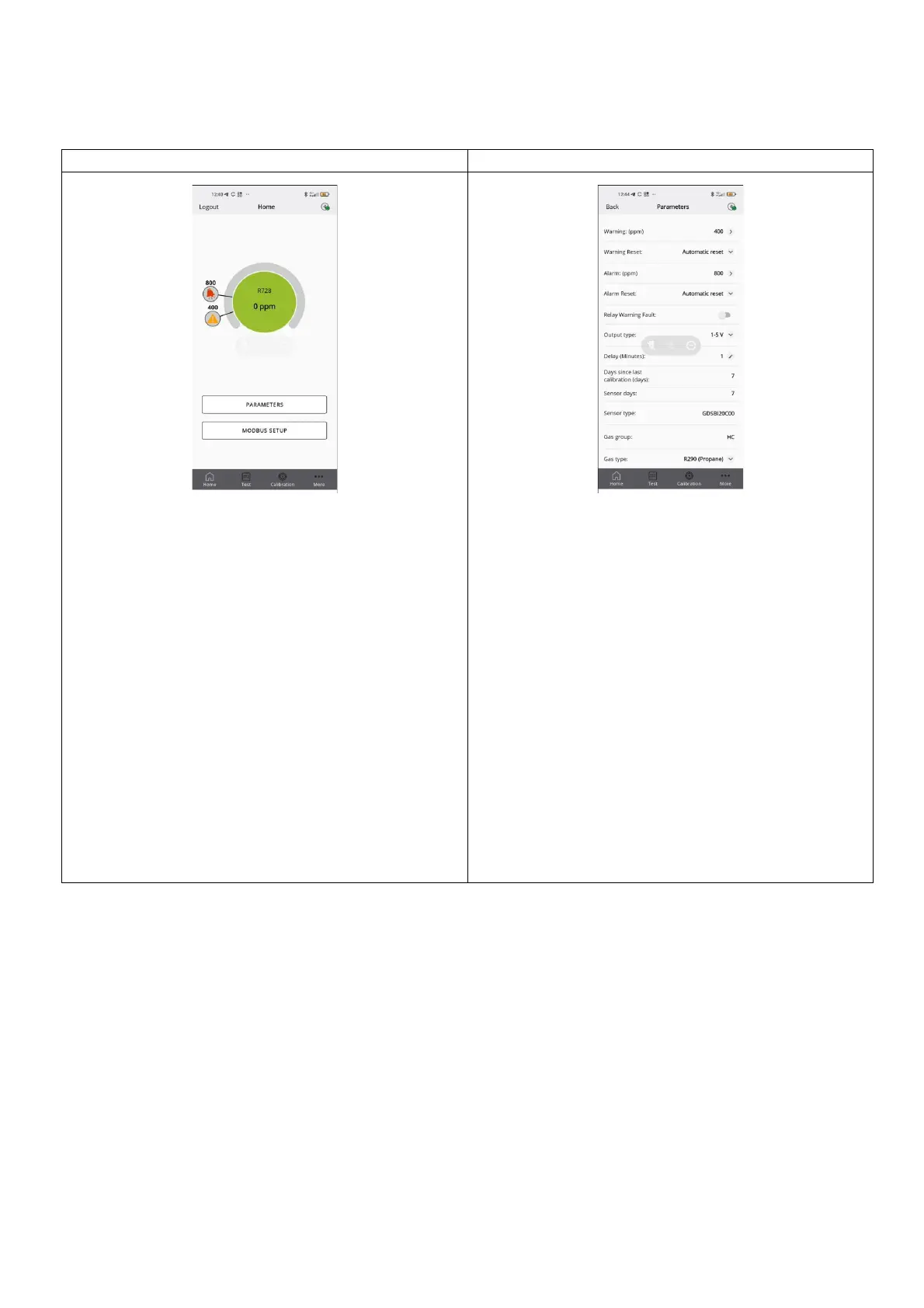
From the home screen, it is possible to display the current
concentration level measured by the sensor, with the corresponding
alarm and warning thresholds.
The following screens can also be accessed:
• PARAMETERS
• MODBUS SETUP
• Test
• Calibration
• More
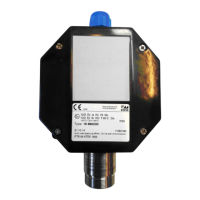
This screen displays the sensor parameters.
It is also possible to select the type of gas to be detected, from those
that are compatible with the sensor. See the other information
chapter in this manual for further details.
The following parameters can be displayed and modified if the user is
logged with Technician access:
• Warning (ppm): Threshold for activating Warning.
• Warning Reset: Determines if Warning will revert to IDLE
automatically if gas levels drop below Warning threshold or
requires manual acknowledgement to be reset.
• Alarm (ppm): Threshold for activation of Alarm.
• Alarm Reset: Determines if Alarm will revert to IDLE
automatically if gas levels drop below Alarm threshold or
requires manual acknowledgement to be reset.
• Relay Warning Fault (RWF): Activate to turn Warning relay
into a dedicated fault relay.
• Output type: Choose analog output scale for J1. Mode
description in section 4.4 (Insert reference).
• Alarm delay: The delay in minutes from the measured
concentration passes the threshold value to the moment the
alarm activates. Affect both Warning and Alarm.
• Gas type: The specific gas to be measured.



 To Next Page