7DE60x Headset Microphone
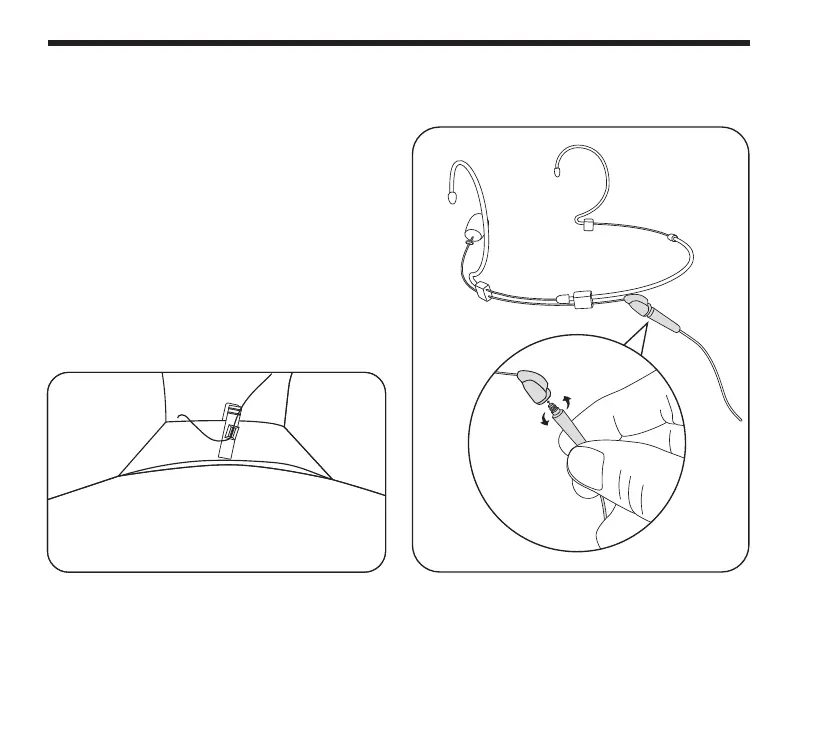
To connect the cable to the headset:
1. Choose the right cable and connector that
works with your wireless system.
2. Line the cable up to the threaded terminal
on the back of the DE60x and screw the
cable into the headset. Do not over tighten
the cable.
3. Attach the included collar clip on the back
of your shirt collar and run the mic wire
from the DE60x headset to the wireless
body pack. Leave enough cable to allow you
to turn your head from side to side.
Connector Cables



 To Next Page