Need help?
Do you have a question about the Samson Meteor Mic and is the answer not in the manual?
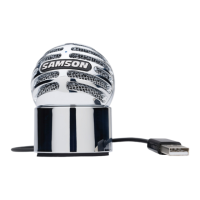
Details the microphone capsule, protective windscreen, and the status indicator LED.
Explains the headphone volume and microphone mute controls for audio management.
Describes the integrated stand mount for attaching the microphone to a stand.
Identifies the headphone jack and USB port for audio output and computer connection.
Step-by-step guide for installing the Meteor Mic on Windows 7 and Vista.
Instructions for installing the Meteor Mic on Windows XP operating systems.
Procedures for setting up the Meteor Mic on Apple Macintosh OS X.
Guidance on microphone placement and techniques for recording vocals.
Recommended microphone placement for capturing acoustic guitar sounds.
Methods for miking pianos, including grand and upright types.
Techniques for miking guitar amps and drum kits for optimal sound capture.
 General
| Type | Laptop microphone |
|---|---|
| Bit rate | 16 bit |
| Sample rate | 48 kHz |
| Noise reduction | Yes |
| Microphone frequency | 20 - 0.02 Hz |
| Microphone direction type | Cardioid |
| Device interface | USB |
| Connectivity technology | Wired |
| Number of products included | 1 pc(s) |
| Product color | Chrome |


 To Next Page