EasyManua.ls Logo

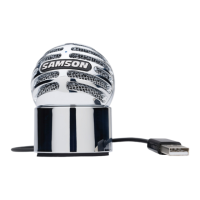
Samson Meteor Mic - Installing the Meteor Mic; Windows 7 & Windows Vista Setup

Samson Meteor Mic
26 pages
Print Icon
To Next Page IconTo Next Page
To Previous Page IconTo Previous Page
Loading...
Installing
the Meteor Mic
Installing
the
Meteor
Mic
is
a
simple
procedure
that
takes
just
a
few
minutes.
Simply
connect
the
included
USB
cable
and
begin
recording. The
following
sections
of
this
manual
provide
detailed
instructions
on
setting
up
your
Meteor
Mic
in
MAC
OS
or
Windows.
Windows 7
&
Windows Vista
1.
The first
tii11e
you
plug
the
Meteor
Mic
into
a
USB
port,
Windows
7
or
Vista
will
install
the
universal drivers
for
that
port.
A
balloon
will
pop
up,
telling
you
the
computer
has
found
the
Meteor
Mic.
2. When
it
is
finished installing
the
drivers, a
balloon
pop
up
will
say "Your device
is
installed
and
ready
to
use:'
Note:
This
balloon
will
only
pop
up
when
you
first
plug
the device
into
a
particular
USB
port.
3.
To
set
the
Meteor
Micas
your
default
device
for
sound playback and recording,
or
to
change
its settings,
click
the
Start
button,
click
Control Panel
and
then
click
Sound.
Under
the
Playback
and
Recording
tabs,
you
can select
the
Samson
Meteor
Mic
from
the
menus and use
the
Set
Default
button
to
set
it
as
the
default
device.
4.
To
set
the
gain
of
the
microphone,
click
the
Properties
button,
and
then
select
the
Levels
tab.
You
can choose
to
view
the
Microphone
volume
level
as
either
a percentage
or
in dB,
by
right
6

Other manuals for Samson Meteor Mic

Related product manuals