EasyManua.ls Logo

Samson Meteor Mic - Meteor Mic Physical Layout; Capsule, Windscreen, and LED; Controls; Mounting Features

Samson Meteor Mic
26 pages
Print Icon
To Next Page IconTo Next Page
To Previous Page IconTo Previous Page
Loading...
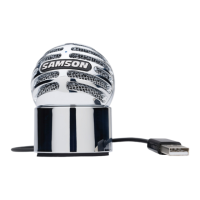
Meteor Mic Layout
1. Capsule-
Large,
l-inch
(25mm) diaphragm
with
Cardioid polar pattern.
2. Windscreen -
Dual
stage
grille protects
the
cap-
sule
and
helps reduce
wind
noise and p-popping.
3. LED- Three-color
LED
illuminates blue
to
indi-
cate power, amber
to
indicate
that
the
micro-
phone
is
muted, and flashes red when
the
input
signal
is
clipping.
4. Headphone
Volume-
Controls
the
overall
level
of
the Meteor Mic's headphone
output.
5. Microphone
Mute
Button - Mutes
the
output
of
the microphone
to
the
computer
and head-
phone
output.
The
LED
will
illuminate
amber
when
the
microphone
is
muted.
6. Stand
Mount-
Standard 5/8-inch thread
mount
to
attach
the
Meteor Mic
to
a microphone stand.
4

Other manuals for Samson Meteor Mic

Related product manuals