EasyManua.ls Logo

Samson Go Mic - Getting Started with MAC OS X

Samson Go Mic
28 pages
Print Icon
To Next Page IconTo Next Page
To Previous Page IconTo Previous Page
Loading...
Getting Started
with
MAC
OS
X
The
following
example
is
for
setting
up
the
Go
Mic
in
MAC
OS
X .
1.
To
start using
the
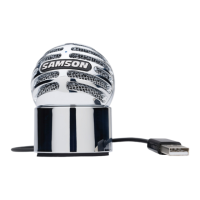
Samson Go Mic,
just
plug
it
in. The
LED
will
light
to
indicate
it
is re-
ceiving
USB
power. The
MAC
will
recognize
the
USB
audio
device and
automatically
install
a
universal
driver.
2.
To
select
the
Go
Micas
the
computer
's
audio
input
,
open
the
System Preferences
from
the
dock
or
the
main
Apple
Menu
(figure
12).
Plug
and
Play-
Some
MAC
OS
DAW'
s,
like Apple's
Garage
band
,
will
let
you
plug
and
play
without
going
to the Sound preference set up. When
you
plug
the
Go
Mic
into
the
USB
port
you
'
ll
see
a
dialog
box
that
will
ask
you
if
you
want
to
select
the
Go
Mic. Select yes
and
you
'
re
ready
to
go.
3.
Next
open
the
Sound
preference (figure 1
3).
4.
Now,
click in
the
Input
tab
and
select Go
Mic
(figure 14).
5.
To
set
the
gain
of
the
microphone,
adjust
the
Input
volume
slider
at
the
bottom
of
the
Sound
dialog
box
.
6.
Next
, click
in
the
Output
tab
and
select Go
Mic
.
1 1
Installing
the
Go Mic
Perso
na
l
~
A.ppearanet
H
ar
dw
are
COs&
DVDs
About
This
Mac
Software
Update
.•.
Mac
OS
X
Software
..
System
Preference
s
Dock
Location
Recent
Items
Force
Quit
Finder
Sl
eep
Restart
.
~
!>Hktop&
Oock
Upo
st
Sc:run~n
_
r
llii1
~
Otspt•vs
EnttQY
~oyboord
&
S.Vtr
Moust
~
0
l
nttmatlono~l
Secut
tty
~
Print
&
Fu
Sound
'

Related product manuals