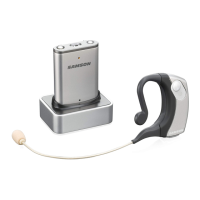
9RTE 2 Bluetooth
®
Headphones
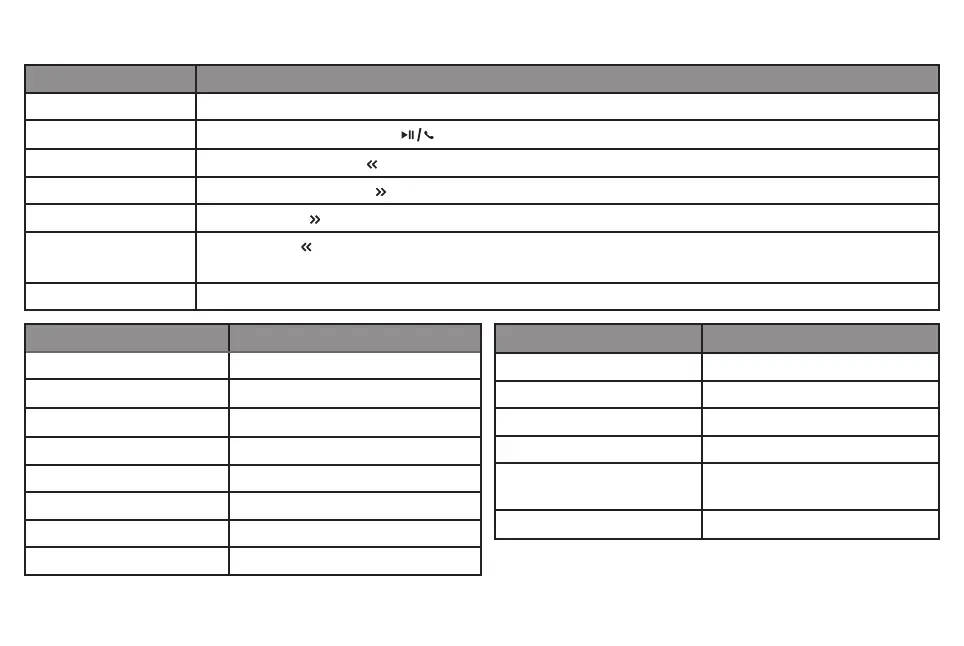
Controls and Indicators
Function Control
Power On/Off Press and hold the Multi-function button for 3 seconds.
Play/Pause Music
Press the Play/Pause/Phone button once.
Rewind Press and hold the left arrow button.
Fast-Forward Press and hold the right arrow button.
Next Track Press the right arrow button once.
Previous Track Press the left arrow button once to go the beginning of the current track and twice two go to the
previous track.
Volume Up and Down Press the plus + button to raise the volume and the minus – button to lower the volume.
Function Indicator Status
Pairing mode Blue (blinking)
Low Battery Red (flash once per minute)
Standby (no connection) Red (blinking)
Standby Blue (flash slowly)
Clear/Reset Setting Red and blue (flash three
times)
Charging Green (Off when fully charged)
Function Tones
Power On Four ascending tones
Power off Four descending tones
Loss Connection Reminder Series of link loss tone
No connection Series of link loss tone
Answer/Cancel/End call Single short high tone
Reject/Transfer call Single long mid tone
Min/Max volume Short high tone
Battery low 3 note descending once a minute



 To Next Page