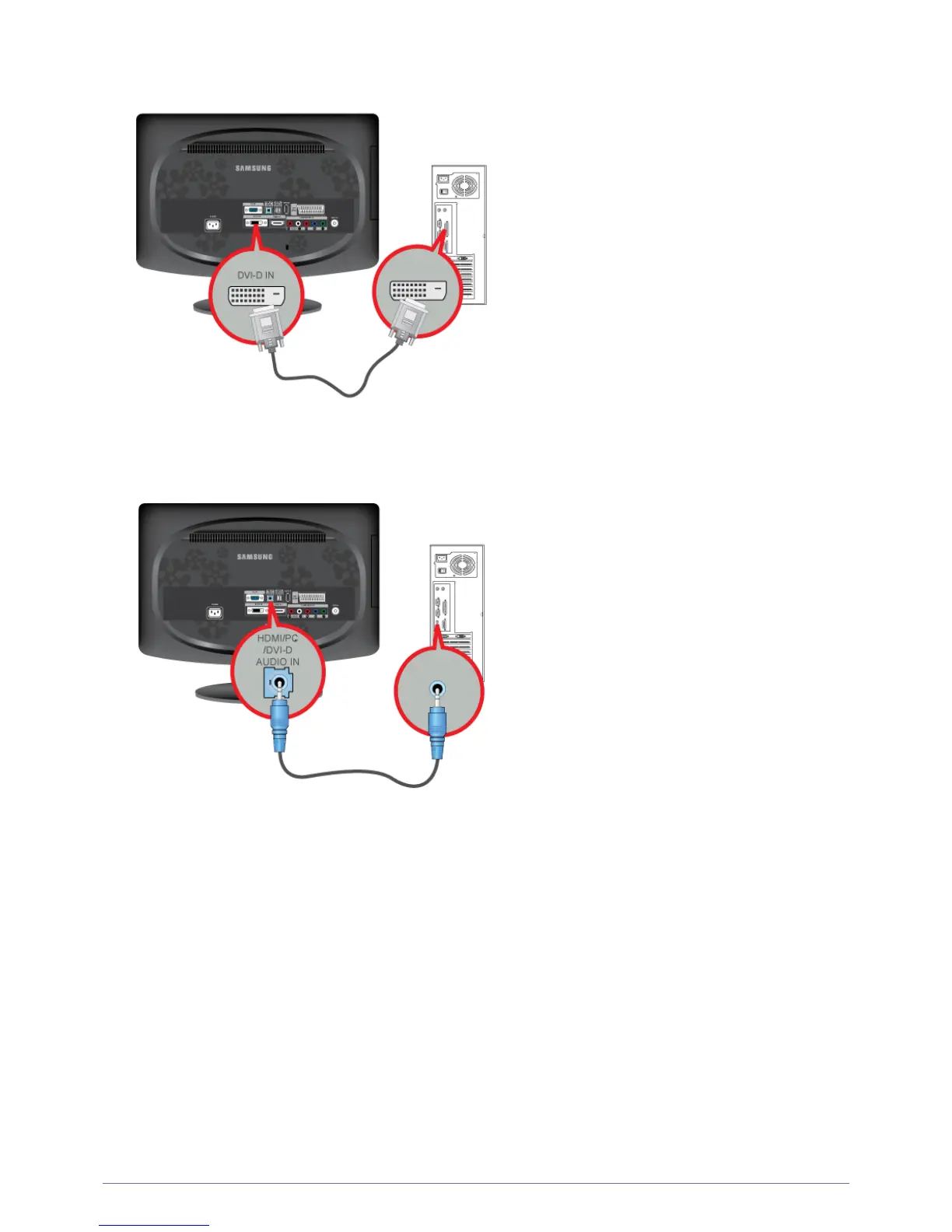
2-5 Installing the Product
• Connect the [DVI-D IN] port of the product to the DVI port of the PC with the DVI cable.
2. Connect the [ HDMI/PC/DVI-D AUDIO IN] port on the rear side of the monitor to the sound card of the PC.
3. Connect one end of the power cord to the [ POWER ] port of the product and connect the other end of the power cord to the
220V or 110V wall outlet.
(The input voltage is switched automatically.)





 To Next Page