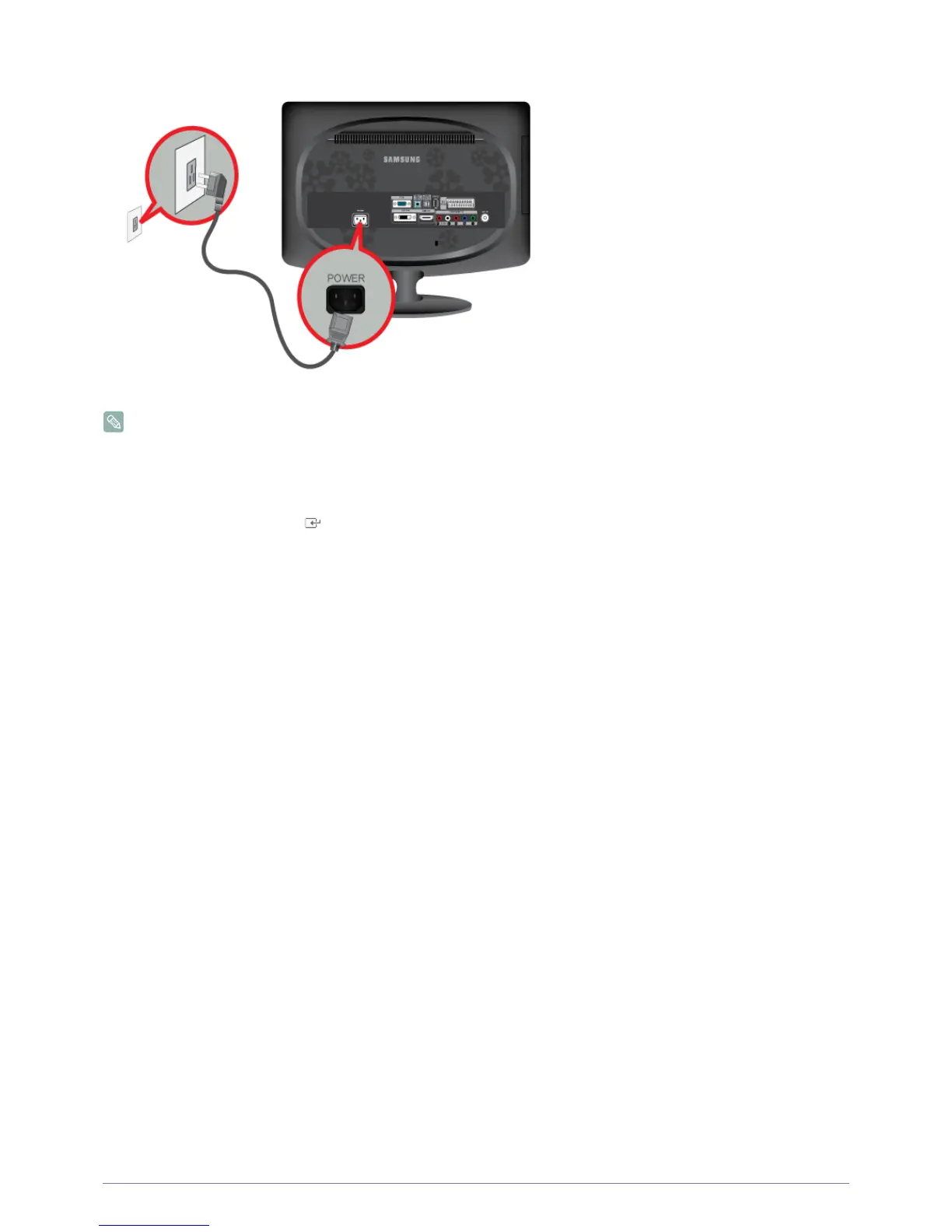
Installing the Product 2-5
• You may enjoy clear and quality sound from the computer sound card using the monitor's speakers. (You don't need to install
separate speakers for your computer.)
• You may get a blank screen depending on the type of video card you are using if you connect the D-sub and DVI cables
simultaneously to one computer.
• If you connect your monitor properly using the DVI connector but get a blank or fuzzy screen, check to see if the monitor status
is set to analog. Press [ ] button to have the monitor double-check the input signal source.





 To Next Page