26
Chapter 1.
Getting Started
Overview
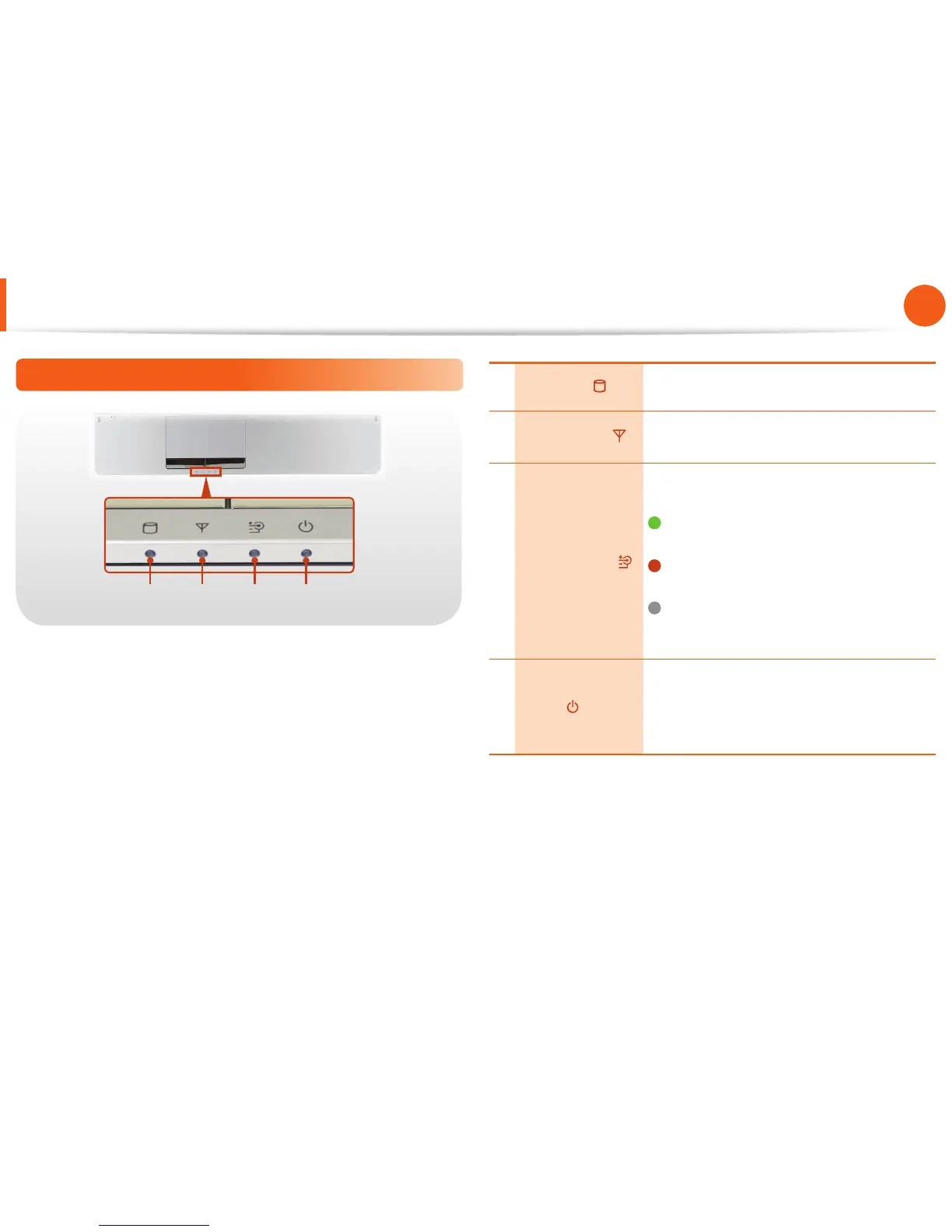
Status Indicators
1 2 3 4
1 HDD/ODD
This turns when either the HDD or ODD is
being accessed.
2 Wireless LAN
This turns on when the wireless LAN is
operating.
3 Charge Status
This shows the power source and the
battery charge status.
Green: When the battery is fully
charged or the battery is not installed.
Orange: When the battery is being
charged.
O : When the computer is running on
battery power without being connected
to AC adapter.
4 Power
This shows the computer operating status.
On: When the computer is operating.
Blinks: When the computer is in Sleep
mode.






 To Next Page