English - 9
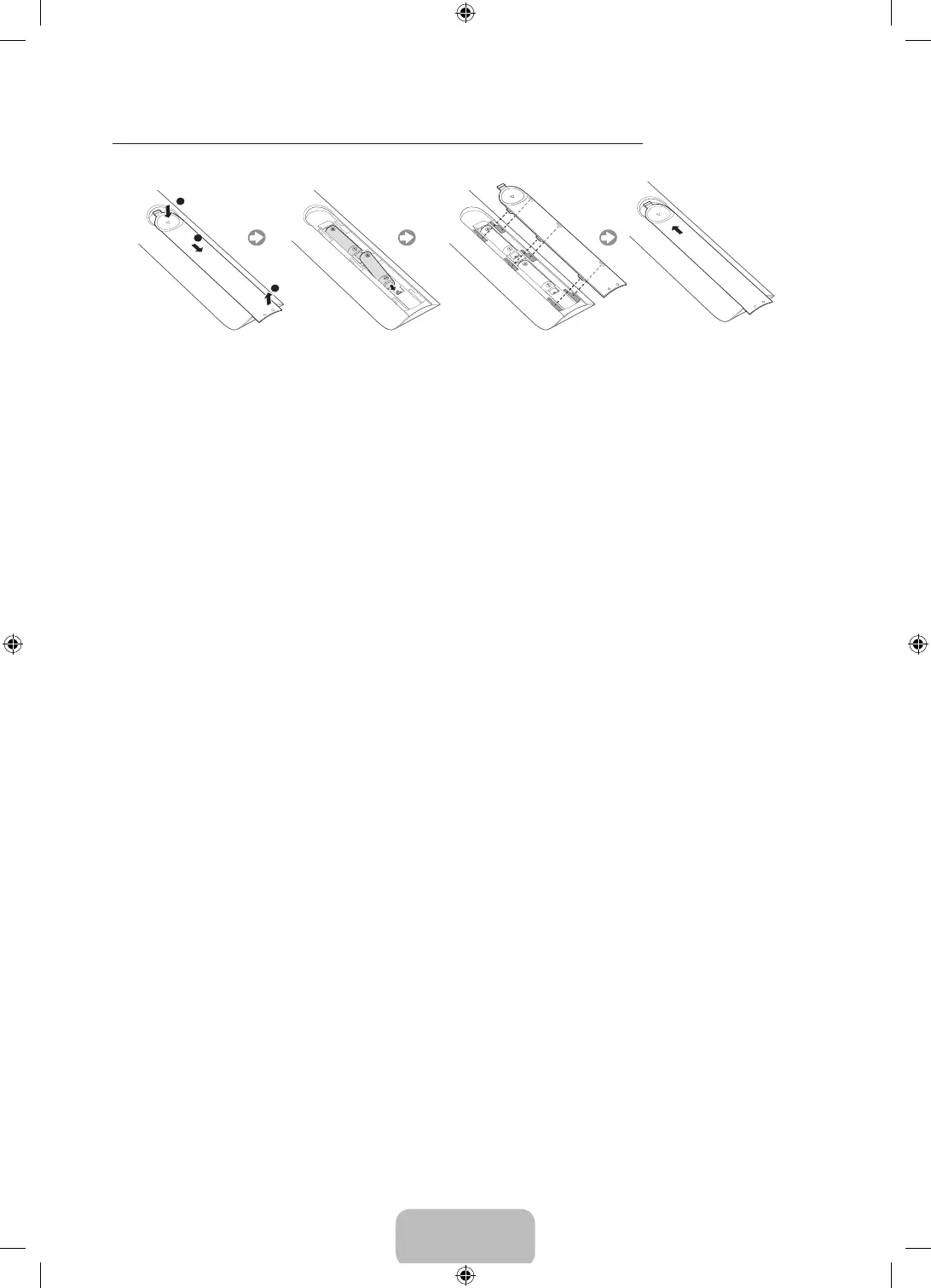
Installing Batteries into the Remote Control
Match the polarity of the batteries to the symbols in the battery compartment.
NOTE
- Use the remote control within 23 feet of the TV.
- Bright light may affect the performance of the remote control. Avoid using when near bright fluorescent
lights or neon signs.
- The color and shape may vary depending on the model.
Switching Between Video Sources
Press the
SOURCE
button to switch between external devices connected to the TV. For example, to switch to a
game console connected to the second HDMI connector, press the
SOURCE
button. The Source List appears
across the top of the screen. From the
Source
list on the Source screen, select
HDMI2
.
- The connector names may vary depending on the product.
[UH6203-ZX]BN68-06330H-00L02.indb 9 2014-08-29 1:21:17


 To Next Page