EasyManua.ls Logo

Samsung 570 - Connecting the RJP (Remote Jack Pack)

Samsung 570
74 pages
Print Icon
To Next Page IconTo Next Page
To Previous Page IconTo Previous Page
Loading...
40
English
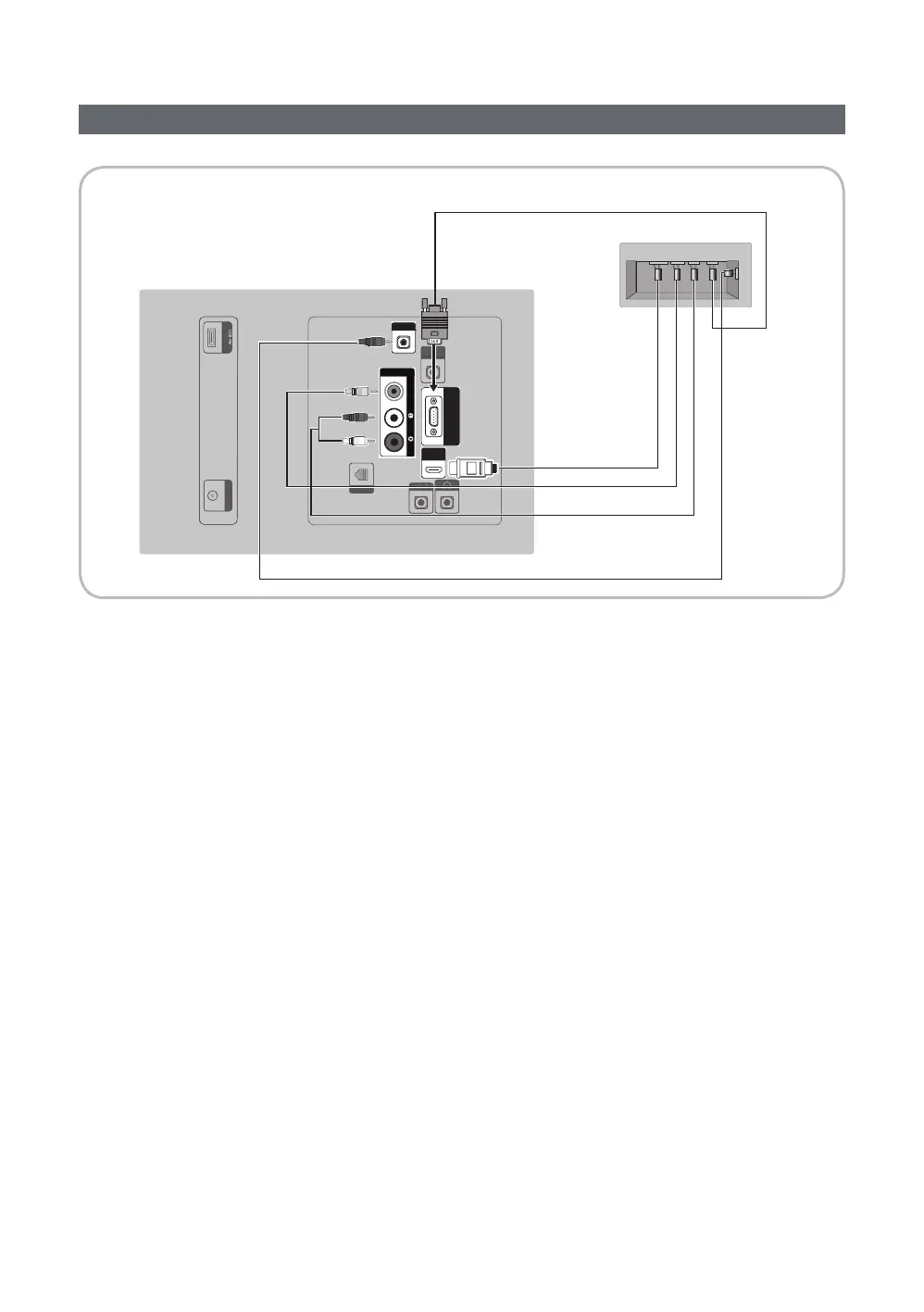
Connecting the RJP (Remote Jack Pack)
Output to any external source connected to RJP on the hotel desk.
RJP
PC / DVI
AUDIO IN
AV IN
AUDIOVIDEO
PC IN
HDMI IN
(DVI/ARC)
HP-ID
DATA
(5V 0.5A)/CLONING
ANT IN
P
C
/
DV
I
A
U
DI
O
I
N
HP
-I
D
D
AT
A
(5V 0.5A)/CLONING
ANTIN
USB HDMI VIDEO
AUDIO AUDIO/PC
RS/232
TV Rear Panel
RJP Rear
5
1

2

3
Video Cable
4
HDMI cable
✎ 
1. Connect the PC IN / PC/DVI AUDIO IN
2. Connect the AV IN [VIDEO] / [L-AUDIO-R] port of the TV to the VIDEO port of the RJP.
3. Connect the AV IN [VIDEO] port of the TV to the VIDEO port of the RJP.
4. Connect the HDMI IN port of the TV to the HDMI port of the RJP.
5. Connect the RJP
✎ 
y RJP (Remote Jack Pack)




✎ HDMI IN or AV IN when connecting the RJP.
✎ When the TV is on, connect the TV and the RJP within 10 seconds.