33
English
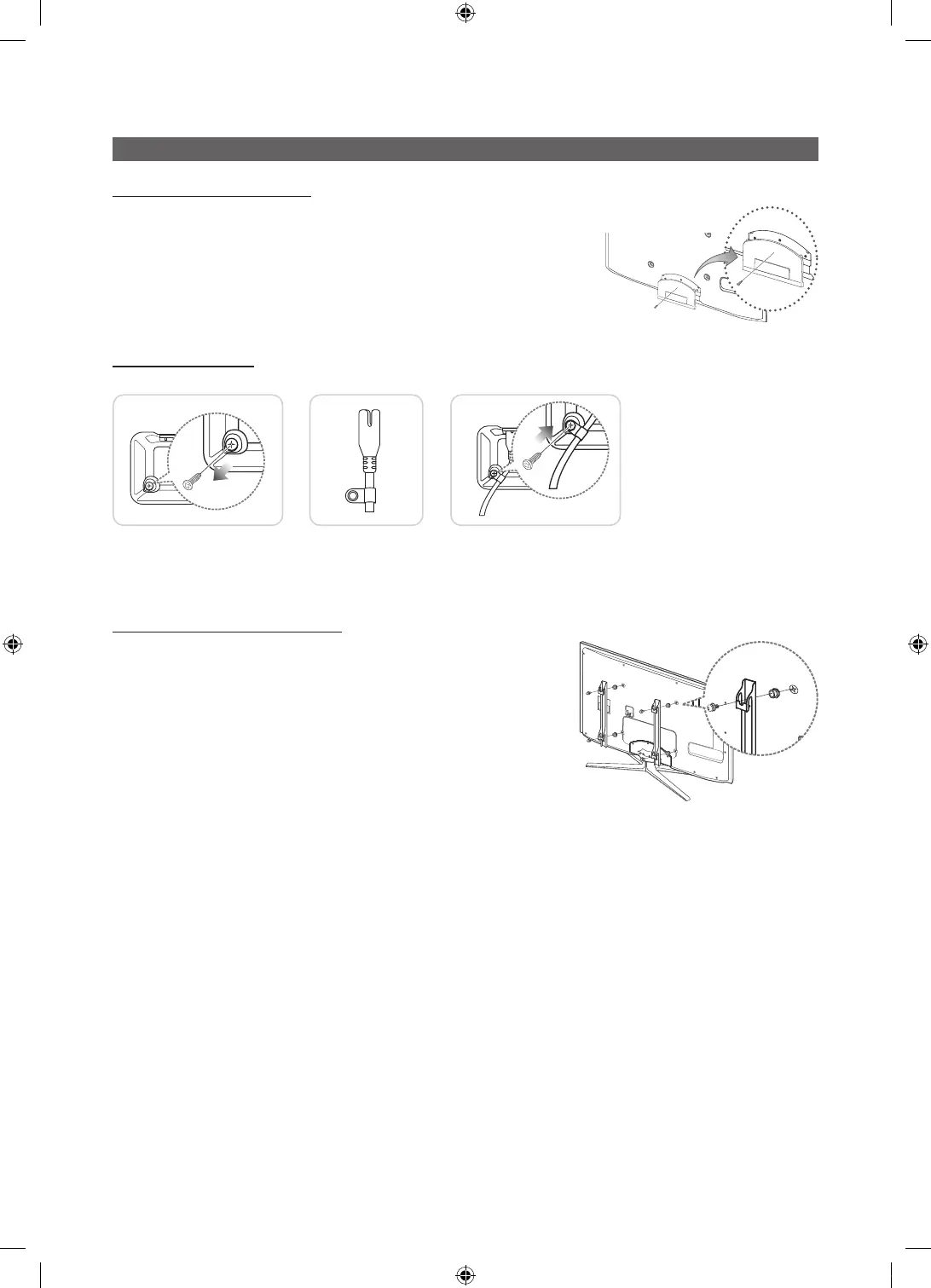
Installing the Wall Mount
Assembling the Blanking Bracket
When installing the TV onto a wall, attach the Blanking Bracket as shown.
Assenbling Power-Cord
When Installing the TV onto a wall, attach the Power-Cord as Shown.
1 2 3
1. Remove the screw shown in the first picture above.
2. Attach the power cord clamp to the power cord.
3. Mount the power cord clamp to the TV, using the removed screw, as shown.
Preparing before installing Wall-Mount
To install a wall-mount from another manufacturer, use the Holder-Ring.
Blanking Bracket
UC6900 호주_중아, UC6000 구주 호텔.indd 33 2010-04-27 오후 2:24:48






 To Next Page