8
English
✎
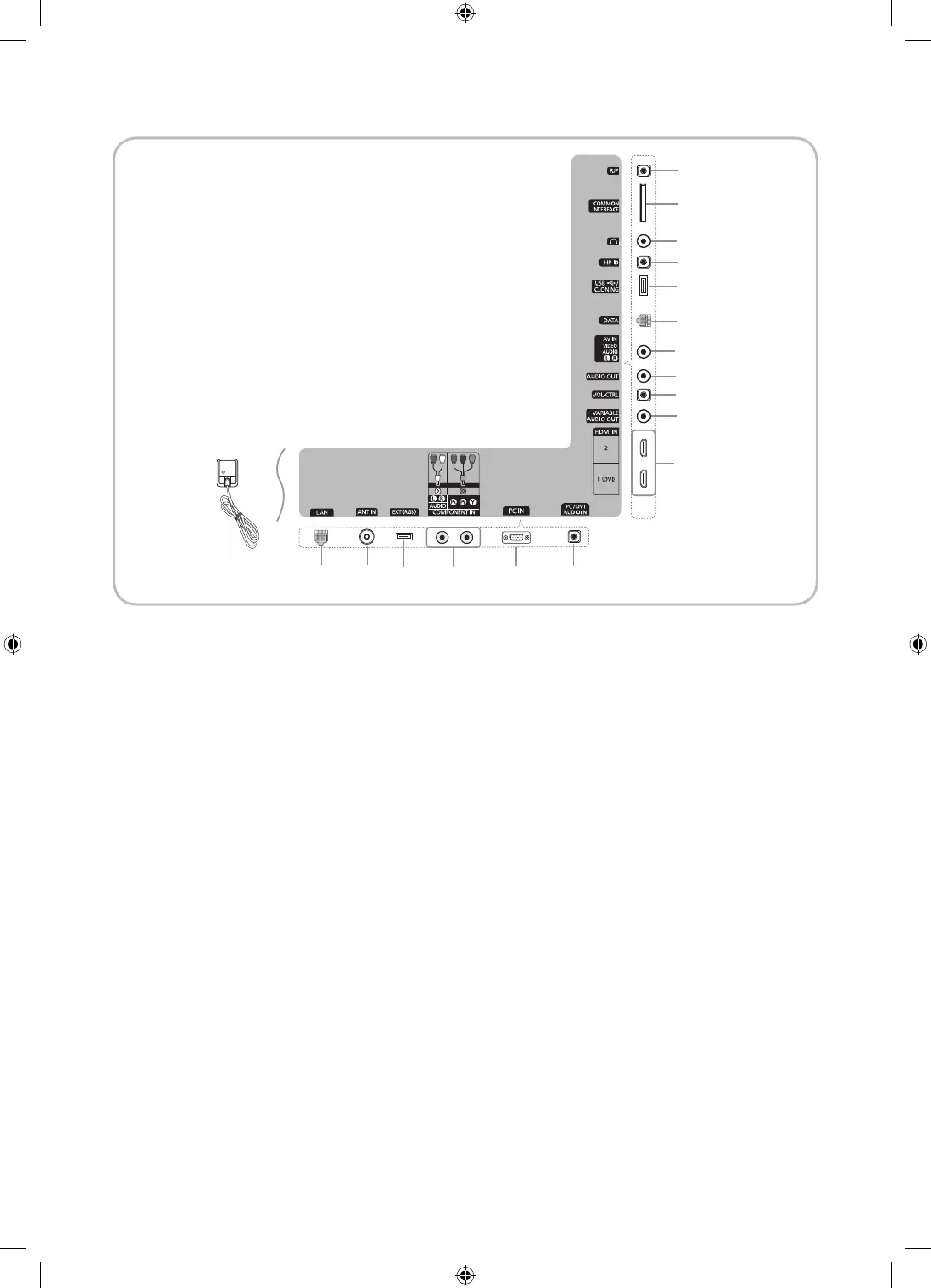
Whenever you connect an external device to your TV, make sure that power on the unit is turned off.
✎
When connecting an external device, match the color of the connection terminal to the cable.
1 RJP: This port is an RJP (Remote Jack Pack) communication port that enables connecting different devices to additional
module so as to improve device use convenience.
2 COMMON INTERFACE
3 Headphones jack
H
: Headphones may be connected to the headphone jack on your TV. While the headphones are
connected, the sound from the built-in speakers will be disabled.
4 HP-ID: Enables to identify whether a headphone jack is inserted into the additionally created head phone box.
5 USB / CLONING
✎
USB Cloning (refer to page 22)
✎
Service connector
✎
Hotel Logo download
6 DATA
– Used to support data communication between the TV and the SBB.
– The TV jack type is RJ-12.
7 AV IN
– Connect a VIDEO cable to an appropriate external A/V device such as VCR, DVD or Camcorder.
– Connect audio cables to [R-AUDIO-L] on your TV and the other ends to corresponding audio out jacks on the A/V
device.
1
2
3
4
5
6
7
8
9
0
!
# @& ^
*
$%
1
3
4
5
6
7
8
9
0
!
# @& ^
*
$%
1
3
4
5
6
7
8
9
0
!
# @& ^
*
$
Power Input
UE40C6000RHXXC
UE46C6000RHXXC
UC6900 호주_중아, UC6000 구주 호텔.indd 8 2010-04-27 오후 2:24:39






 To Next Page