EasyManua.ls Logo

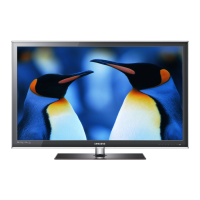
Samsung 6800 Series - User Manual

Samsung 6800 Series
169 pages
Print Icon
To Next Page IconTo Next Page
Loading...
E-MANUAL
Thank you for purchasing this Samsung product.
To receive more complete service, please register
your product at
www.samsung.com/register
Model______________ Serial No.______________

Table of Contents

Questions and Answers

  • J
    jonathan11Sep 9, 2025
    Why is there picture but no sound on my Samsung 6800?
    • J
      Jeffrey StevensSep 9, 2025
      If the picture is good but there is no sound on your Samsung LED TV, navigate to Sound and set Speaker Select to TV Speaker. If using an external device, check its audio output option. If using a DVI to HDMI cable, a separate audio cable is required. Also, ensure nothing is plugged into the headphone jack and reboot the connected device.
  • J
    Jason ChristensenAug 23, 2025
    How to stop my Samsung 6800 LED TV from flickering?
    • R
      rosecodyAug 23, 2025
      If your Samsung LED TV is flickering or dimming sporadically, disable the energy efficiency features. You can disable Energy Saving in the Eco Solution settings.
  • M
    Michelle BrownAug 25, 2025
    What to do if my Samsung 6800 LED TV won't turn on?
    • J
      James GoodmanAug 25, 2025
      If you are having problems powering on your Samsung LED television, check the power cord connection and ensure the remote control is working. Also, check the antenna cable connection or ensure the cable/satellite box is turned on.
  • J
    James PerezAug 26, 2025
    Why is there no sound on my Samsung 6800 LED TV?
    • R
      ruben94Aug 26, 2025
      If there is no sound or the sound is too low at maximum volume on your Samsung LED TV, please check the volume of the device connected to your TV, such as a cable/satellite box, DVD, or Blu-ray player.
  • C
    christinaalexanderAug 28, 2025
    How to adjust brightness on Samsung LED TV?
    • S
      Sydney JacksonAug 28, 2025
      If you find that the colors on your Samsung LED TV are correct but too dark or bright, adjust the picture settings. Navigate to Picture and adjust Backlight/Cell Light, Contrast, Brightness, Sharpness, Color, Tint and other picture quality settings.
  • M
    michellerojasAug 29, 2025
    Why is the picture distorted on my Samsung LED TV?
    • J
      jonmurphyAug 29, 2025
      If the picture on your Samsung LED TV is distorted, it might be due to video content compression, especially in fast-moving scenes, or a weak signal. Also, mobile phones used close to the TV may cause noise.
  • M
    Michael WallsSep 18, 2025
    Why do 3D images not look right on my Samsung 6800 LED TV?
    • A
      aramirezSep 18, 2025
      The ideal viewing distance for 3D images on your Samsung LED TV is three times or more the height of the screen. It is also recommended to sit with your eyes level with the screen.
  • R
    Richard WhiteSep 22, 2025
    How to make the batteries in my Samsung LED TV 3D glasses last longer?
    • J
      Jason EnglishSep 22, 2025
      To prolong the battery life of the 3D glasses for your Samsung LED TV, turn them off when you are not using them. Leaving them on shortens the battery lifespan.
  • C
    Christine LittleSep 8, 2025
    How to find channels on Samsung 6800 LED TV?
    • A
      Adam MoranSep 8, 2025
      To find a channel on your Samsung LED TV, run Setup or Auto Program in the Broadcasting settings.
  • M
    Mark WilliamsSep 5, 2025
    Why is the color missing on my Samsung 6800?
    • M
      michaelmooreSep 5, 2025
      If you’re using a Component connection on your Samsung LED TV, make sure that the component cables are connected to the correct jacks. Incorrect or loose connections may cause color problems or a blank screen.

Summary

Getting Started

Switching Between Video Sources

Use the SOURCE button to select and switch between connected video input devices.

Channel Management

Program Rating Lock

Block programs based on their rating to control content viewed by children.

Favorite Channels

Designate and manage frequently watched channels as favorites.

Network Configuration and Setup

Wired Network

Connect the TV to a Local Area Network (LAN) using a wired connection.

Controlling the TV

SMART Interaction

TV Viewing

TV Settings

Picture Quality

Fine-tune picture settings like backlight, contrast, brightness, sharpness, color, and tint.

Advanced Settings

Fine-tune advanced image settings like dynamic contrast, black tone, and flesh tone.

Basic Sound Settings

Adjust sound modes, effects, and equalizer settings for optimal audio output.

Screen Protection and Maintenance

Screen Burn Protection

Prevent screen burn-in using technologies like Pixel Shift.

SMART TV Features

Smart Hub

Access a multi-purpose entertainment center for web browsing, apps, and media.

Samsung Account

Create and manage a Samsung account for enhanced Smart Hub functionality.

Apps

Download and enjoy free and paid apps, games, news, and sports content.

Photos, Videos & Music

Anynet+ (HDMI-CEC)

Support

Self Diagnosis

Diagnose TV issues related to picture, sound, and signal.

Updating the Software

Check TV software version and upgrade if necessary.

Troubleshooting

Screen Issues

Solutions for flickering, dimming, color, brightness, and full-screen display problems.

Sound Issues

Solutions for no sound, low volume, or odd speaker sounds.

Anynet+ (HDMI-CEC) Issues

Solutions for Anynet+ not working, not displaying devices, or audio issues.

Web Browser

Samsung 6800 Series Specifications

General IconGeneral
Display TypeLED
Smart TVYes
HDMI Ports3
USB Ports2
Refresh Rate60Hz
EthernetYes
3D CapableNo
Contrast RatioMega Contrast
Sound Output20W
Wi-FiYes

Related product manuals