Getting Started 4
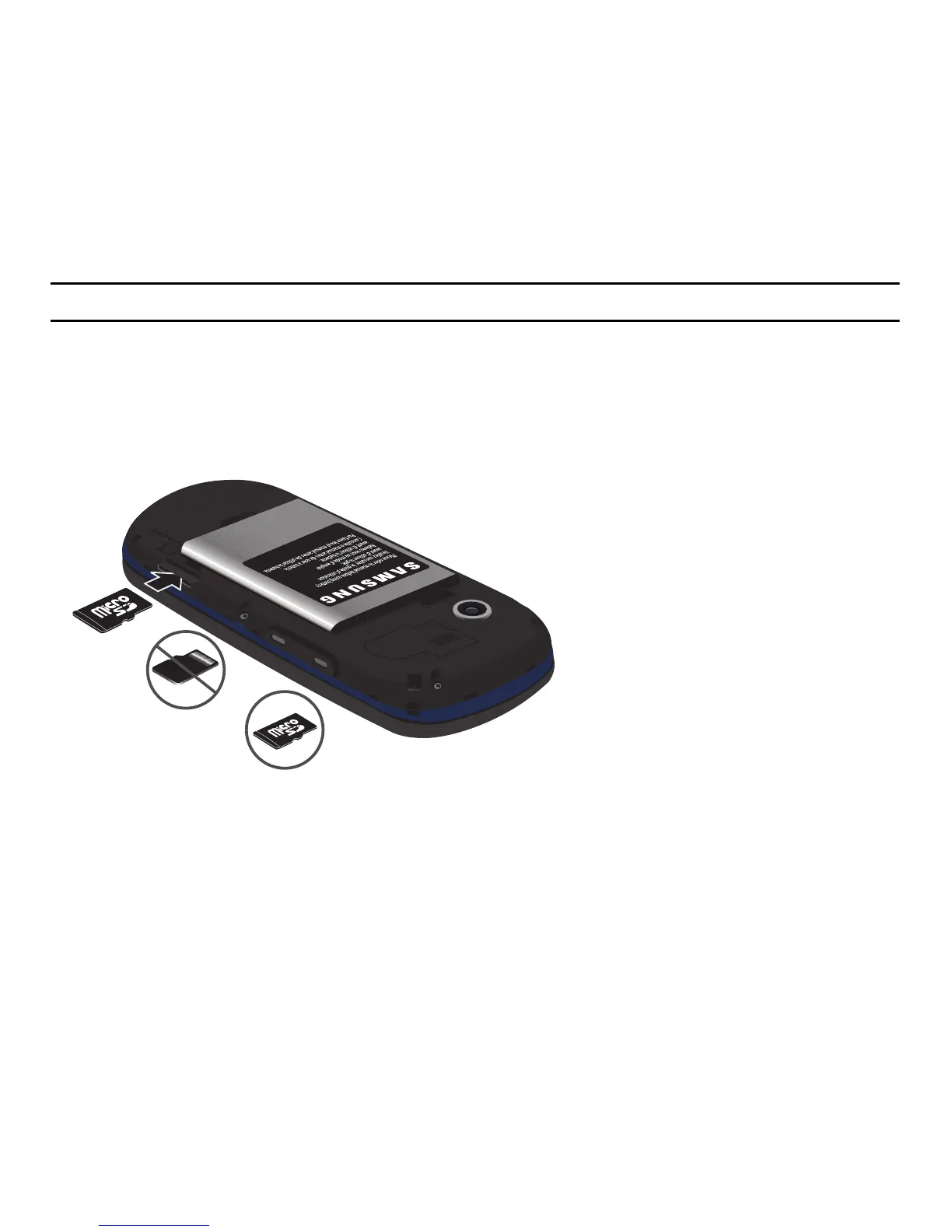
Installing or Removing the Memory Card
Your phone supports an optional memory card (microSD™) for data storage of things such as music, pictures, video,
or other files. This type of memory card is designed for use with this mobile phone and other devices.
Note:
This phone supports up to a 16 Gigabyte memory card.
1. Place the microSD card into the slot (as shown) and push lightly with your thumb or finger until you hear a light
click sound. Ensure the microSD’s gold contact pins face downward and the card is placed so that the
indentations on the card face the same direction as those illustrated.
2. Push the microSD card with your thumb a second time to eject it from the slot.










 To Next Page