10 Operating Instructions and Installation
10-2
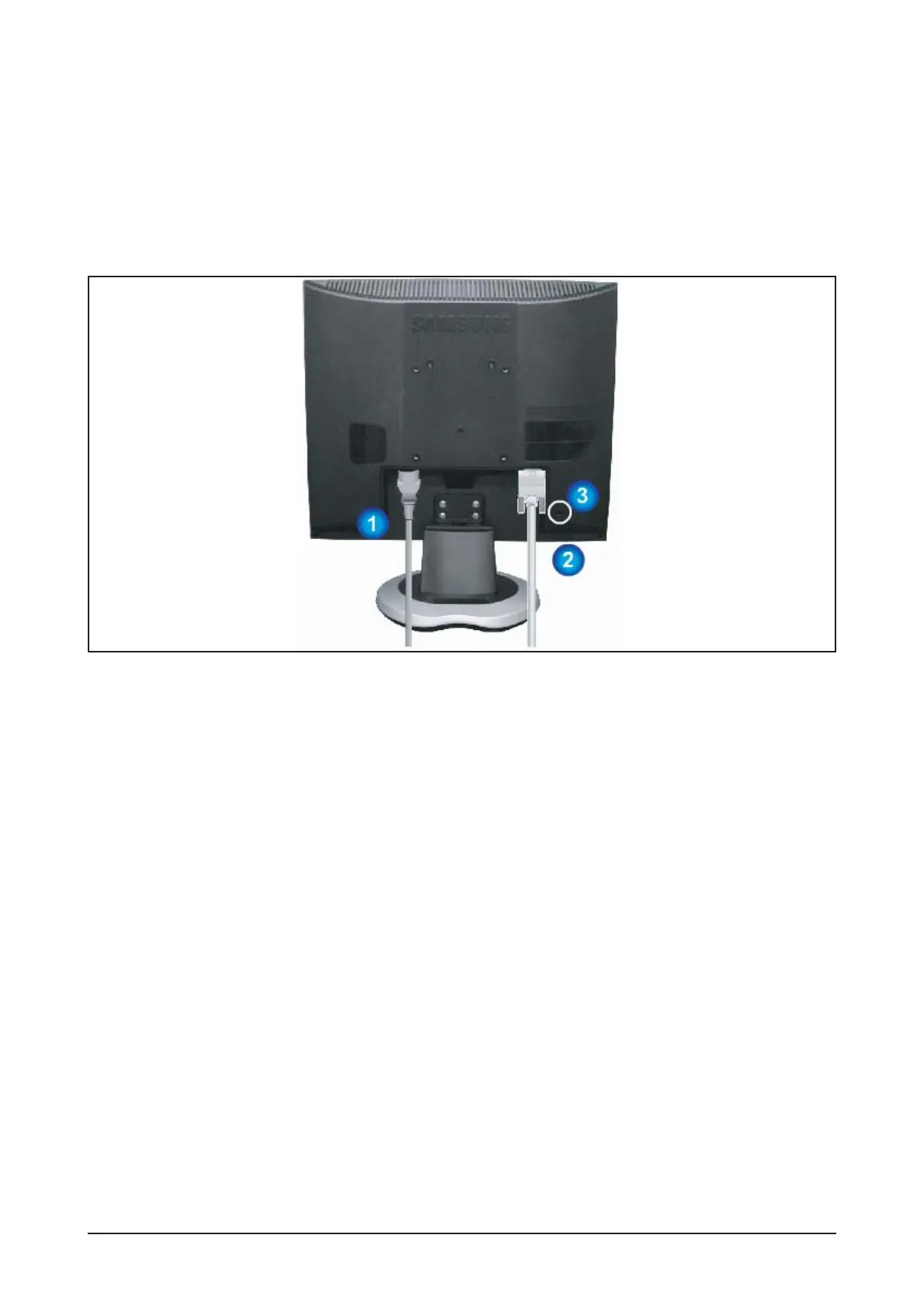
10-2 Rear
6. Power button / Power indicator
Use this button for turn the monitor on and off.
/This light glows green during nomal operation,
and blinks green once as the monitor saves your
adjustments..
1. Power port
Connect the power cord for your monitor to the power port on the back of the monitor.
2. D-sub 15-pin port
Connect the signal cable to the 15-pin, D-sub connector on the back of your monitor.
3. Kensington Lock
The Kensington lock is a device used to physically fix the system when using it in a public place.
(The locking device has to be purchased separately. )
To get the information on using the Kensington Lock, contact an aurhorized dealer.





 To Next Page