3 Alignments and Adjustments
3-2
3-4 How to execute DDC
1. Install
Analog DVI EDID Tool Program
2. Click the Analog DVI EDID Tool icon.
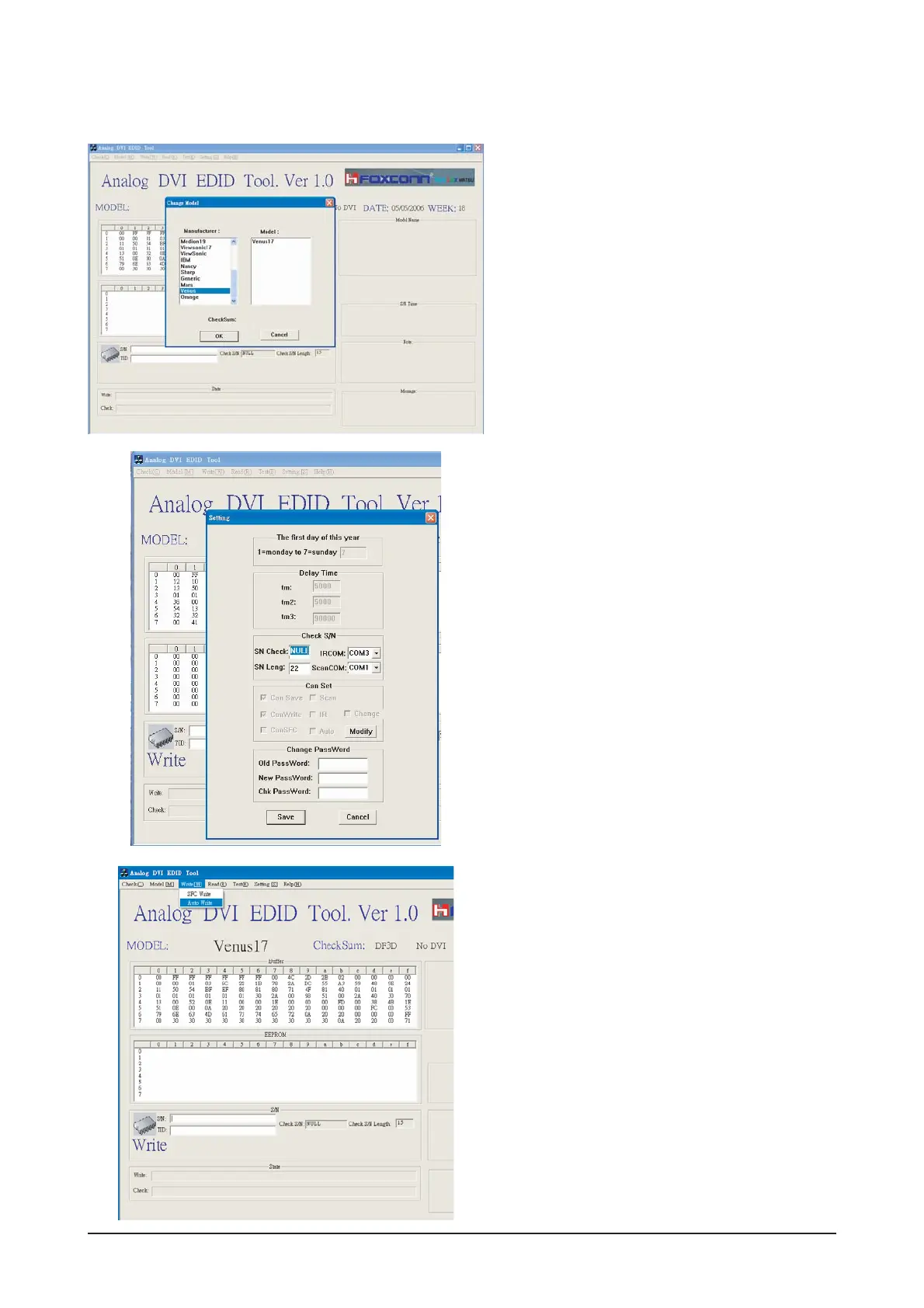
3. Select mode The password is 1234.
Select the manufacture is Venus and the model
name is Venus 17.
4.Setting
The password is 1234.
Select the port1and the SN Leng is 22.
Save the change.
5. Select Write-Auto Write
The SN number is a 22 random numbers.





 To Next Page