3 Alignments and Adjustments
3-3
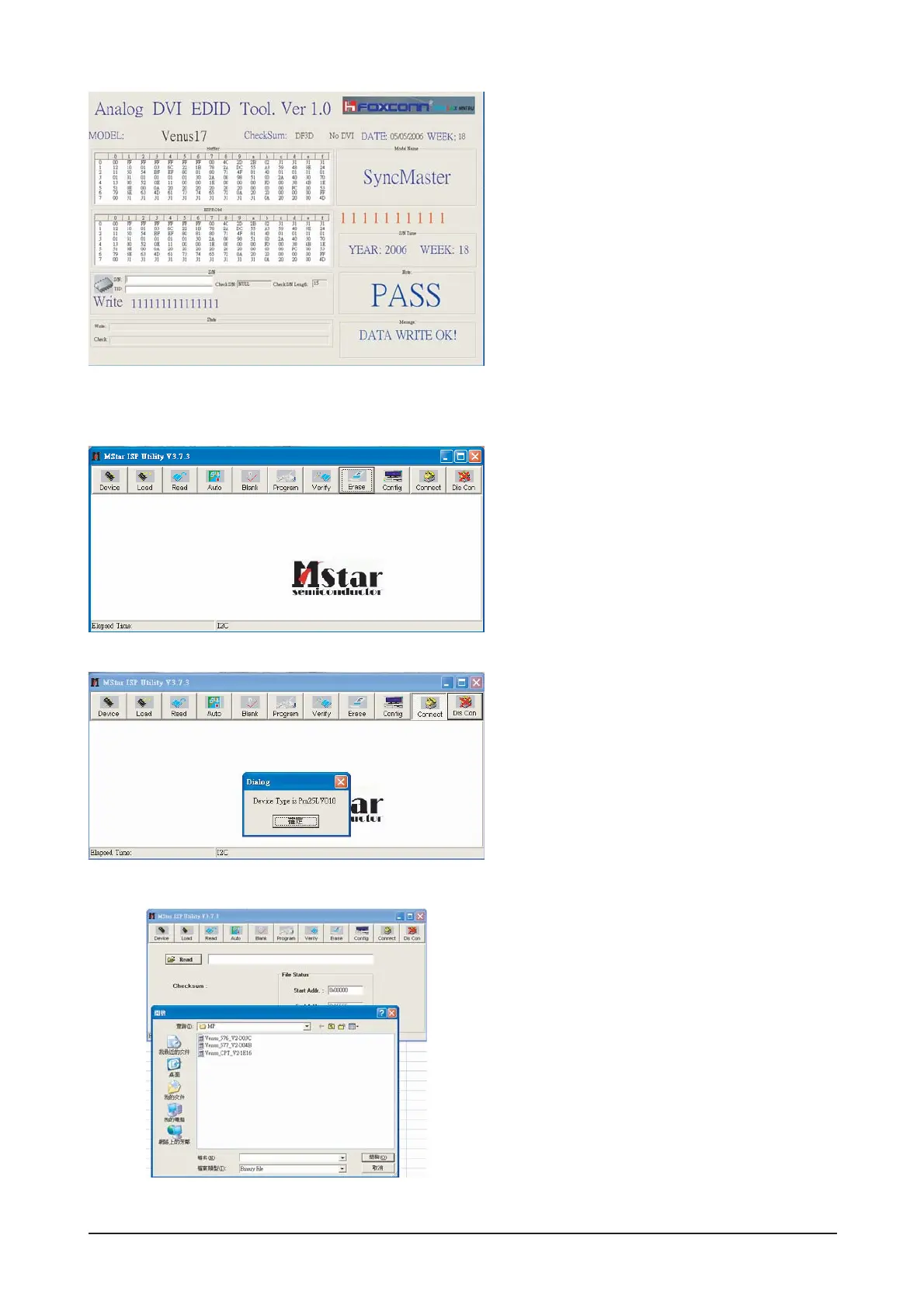
6. Write DDC ok.
1. Set the options.
-. Manufacture: MSTAR
-. Device Type: TSUM16_ROM128K_ext_flash
-. Communication Port: DSUB15 (Analog)
-. External Memory: PM25LV010E
2. Click 'Connect File' button, and select the
MCU code.
3. Click 'Read File' button, and select the MCU
code.
3-5 How to execute MCU Code





 To Next Page