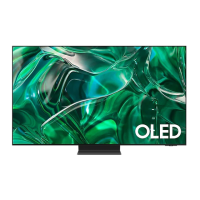
This document outlines the unpacking and installation process for a Samsung television, likely a large-screen QLED or similar model, given the emphasis on a separate One Connect Box and wall-mount options. The guide is designed to assist users in setting up their new television, whether on a stand or mounted to a wall.
The primary function of this device is to provide a high-quality visual and audio entertainment experience. It serves as a central hub for various media inputs, delivering content through its display. The One Connect Box plays a crucial role in this by centralizing all connections, simplifying cable management, and potentially allowing for future upgrades without needing to replace the entire display.
Unpacking and Initial Setup (Steps 1-4):
The initial steps focus on safely unpacking the television and preparing it for either stand installation or wall mounting. The guide emphasizes a two-person setup for larger models (75"-77" and 85"), highlighting the size and weight of the display.
- Preparation: The first step involves laying the television flat on a soft, clean surface, such as a blanket or the packaging foam, to protect the screen during the initial assembly. This is a critical safety measure to prevent scratches or damage to the display panel.
- Accessory Identification: The guide illustrates the various accessories included, such as the One Connect Box, One Connect Cable, power cable, Samsung Smart Remote, and user manuals. It also details the different types of screws (M4 x L12) and their quantities for specific assembly steps.
- Stand Assembly (for stand installation): If opting for stand installation, the guide shows how to attach the two stand legs to the bottom of the television. This typically involves aligning the legs with designated slots and securing them with screws. The illustrations clearly show the orientation of the legs and the screw placement.
- One Connect Box Connection: A key feature of this Samsung TV is the One Connect Box. This external box houses all the input ports (HDMI, USB, Optical, LAN, etc.), keeping the back of the TV clean and allowing for easier cable management. The guide demonstrates connecting the One Connect Cable from the TV to the One Connect Box. This cable carries both power and data, simplifying the connection to the display.
Usage Features:
- Centralized Connectivity: The One Connect Box is a significant usage feature. It allows users to connect all their external devices (gaming consoles, Blu-ray players, soundbars, set-top boxes) to a single box, which then connects to the TV via one thin cable. This design reduces cable clutter behind the TV, making the setup look cleaner and more organized. It also simplifies access to ports, especially if the TV is wall-mounted.
- Smart Remote: The inclusion of a Samsung Smart Remote suggests advanced control features, likely including voice control, universal remote capabilities for connected devices, and easy navigation of the TV's smart features and apps.
- Multiple Input Options: The One Connect Box provides a comprehensive array of input options, including multiple HDMI ports (one with eARC for enhanced audio return channel capabilities), USB ports for media playback or connecting peripherals, an optical audio output, and an Ethernet (LAN) port for wired internet connectivity. Wireless connectivity (Wi-Fi) is also implied for smart TV functions.
- Wall-Mount Compatibility: The device is designed for both stand and wall-mount installations, offering flexibility in placement. The guide provides specific instructions and considerations for wall mounting, including the use of a holder-bolt for securing the One Connect Box.
Installation Flexibility (Steps 8-10):
- Wall Mounting Preparation (Step 8): This section details the process of preparing the TV for wall mounting. It involves removing specific screws from the back of the TV that would otherwise be used for stand attachment and potentially attaching wall-mount adapters. The guide explicitly shows the removal of screws and the attachment of wall-mount brackets (d-3 components).
- Wall Mounting the TV (Step 9): This step illustrates the actual process of mounting the TV to a wall bracket. It emphasizes the need for careful handling and proper alignment. The guide also shows how to secure the One Connect Box when the TV is wall-mounted, offering two options:
- Option 1 (d-1): Mounting the One Connect Box directly to the wall using a holder-bolt. This keeps the box out of sight and maintains a clean aesthetic.
- Option 2 (d-2): Placing the One Connect Box on a shelf or cabinet near the wall-mounted TV. This offers easier access to the ports if frequent changes are needed.
- Cable Management for Wall Mount: The guide highlights the importance of cable management, especially for wall-mounted setups. The One Connect Box's design inherently aids in this by minimizing the number of cables running to the TV itself.
Maintenance Features:
- Easy Port Access (with One Connect Box): While not explicitly a "maintenance" feature in the traditional sense, the One Connect Box significantly simplifies access to ports. If a cable needs to be replaced, or a new device needs to be connected, it's much easier to do so at the One Connect Box rather than reaching behind a large, wall-mounted TV. This reduces the risk of damaging the TV or its connections during routine changes.
- Simplified Troubleshooting: In case of connectivity issues, the centralized nature of the One Connect Box can help in troubleshooting. Users can easily check connections at a single point rather than having to inspect multiple ports on the back of the TV.
- User Manual/Regulatory Guide: The inclusion of a user manual and regulatory guide provides essential information for operating the TV, understanding its features, and adhering to safety and compliance standards. This is crucial for long-term maintenance and safe operation.
- QR Code for Video Guides: The presence of a QR code that links to "helpful videos" is a modern maintenance and support feature. It allows users to quickly access visual instructions for setup and troubleshooting, which can be more effective than static images or text for complex procedures.
The guide also provides detailed dimensional information for various TV models (77S95C, 75QN7C, 75QN8C, 85QN8C, 75QN9C, 85QN9**C), including measurements for VESA wall mounts, which is essential for selecting compatible wall brackets and ensuring proper installation. This information, while technical, directly supports the maintenance and installation aspects by ensuring users have the correct data for their specific model. The VESA dimensions (e.g., 400x400, 600x400) are critical for choosing the right wall mount. The guide also specifies the type and length of screws (M8 x 1.25) required for wall mounting, along with the necessary wall-mount bracket (indicated by a star).


 To Next Page
 General