11 Disassembly and Reassembly
11-2
Description Picture Description
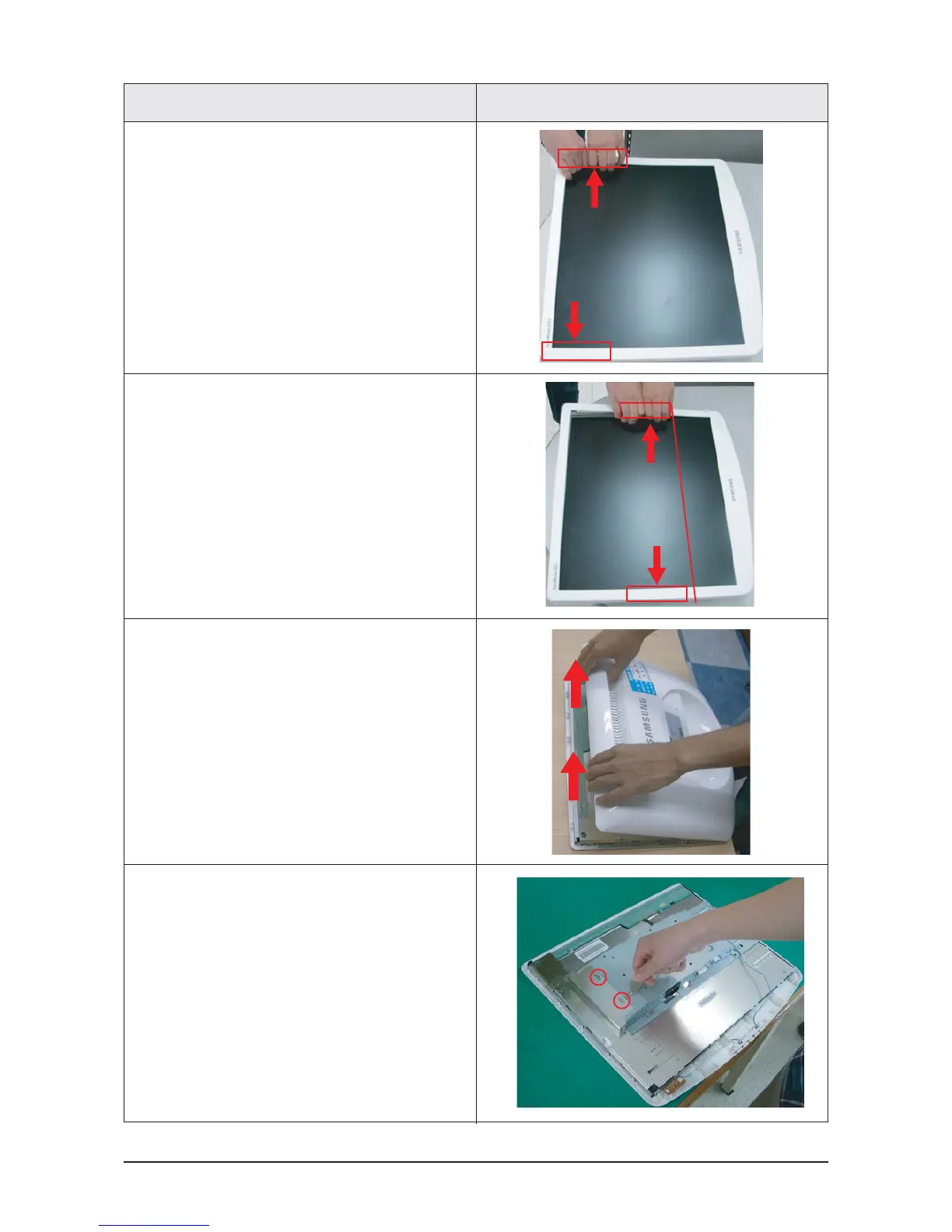
4. Remove the marked parts from both sides of
the front cover, as shown in the figure below.
(1)
5. Remove the marked part from the front cover,
as shown in the figure below.
Caution: Do not lift the front cover over position (1),
which may cause damage to it.
6. Turn the monitor so the back of it is facing
upwards. Lift up and remove the back cover.
7. Use the jig to remove the shield lamp.
(Be careful Shield.)










 To Next Page