Apps and features
95
Zooming in and out
Spread two fingers apart on the screen to zoom in, and pinch to zoom out.
Zooming features are available only when using the rear camera.
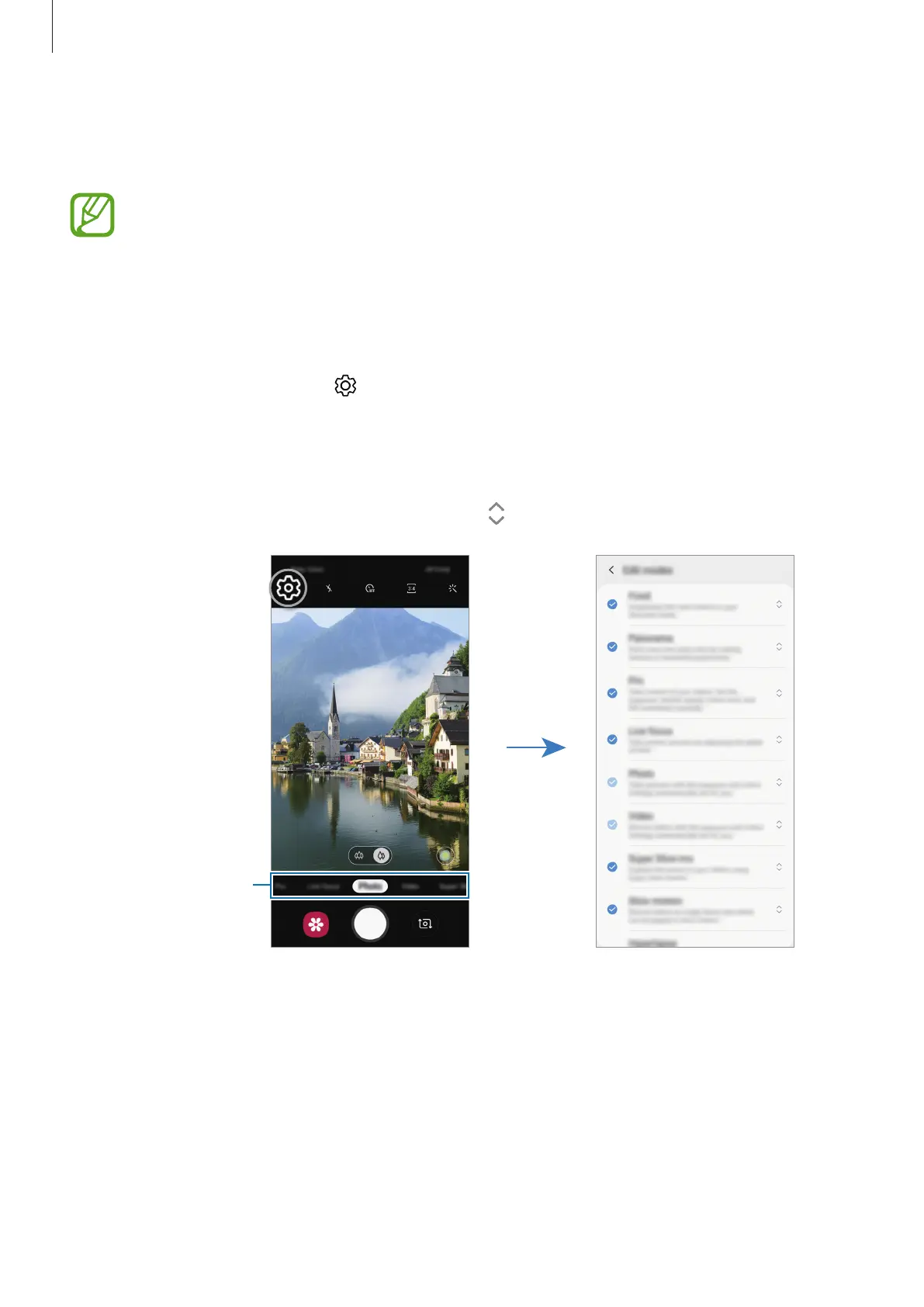
Editing the shooting modes list
You can edit the shooting modes list on the preview screen.
1
On the preview screen, tap
→
Camera modes
→
Edit modes
.
Alternatively, tap and hold the shooting modes list on the preview screen.
2
Tick modes to use.
To change the order of shooting modes, drag
to another location.
Shooting modes list









 To Next Page