Installing a Filter (Option)
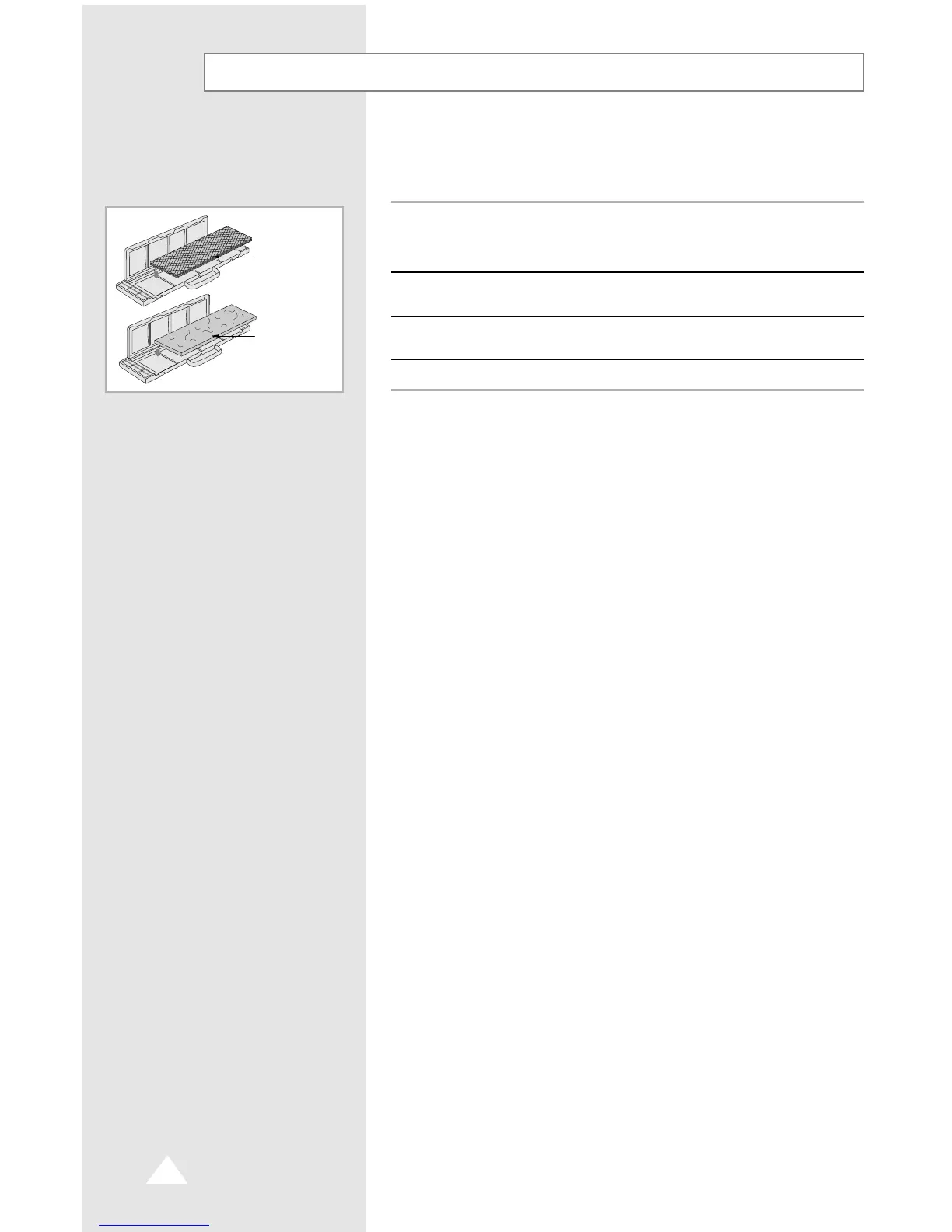
The air conditioner can be fitted with a deodorizing and Bio-Pure
filter to remove minute dust particles or odours. The service life of
the filter is approximately three months depending on the time
during which the air conditioner is used.
1 Remove the vinyl packing from the filter.
NN
NN
oo
oo
tt
tt
ee
ee Do not remove the packing from a deodorizing filter until you
wish to use the filter, as it will lose its properties.
2 Insert the filter in the filter holder and press the three insert tabs until
you hear a click.
3 Open the front grille by pulling on the tabs on the lower right and left
sides of the indoor unit.
4 Take out the existing filter and replace it with the new one.
Deodorizing
filter
Bio-Pure
filter
E-24



 To Next Page