EasyManua.ls Logo

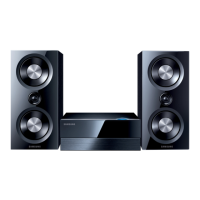
Samsung AH68-01018B - User Manual

Samsung AH68-01018B
23 pages
Print Icon
To Next Page IconTo Next Page
Loading...
Instruction Manual
MICRO COMPONENT
AUDIO SYSTEM
MM-B9
Question and Answer IconNeed help?

Do you have a question about the Samsung AH68-01018B and is the answer not in the manual?

Summary

Safety Warnings

Class 1 Laser Product Safety

Information regarding Class 1 laser product classification and safety.

Electric Shock Hazard Warning

Warning about electric shock risk if the unit is opened.

Fire and Electric Shock Prevention

Caution against exposing the appliance to rain or moisture.

Plug Insertion Safety

Advice on correctly inserting the plug to prevent shock.

Front Panel Controls Overview

Remote Control Functions Overview

Rear Panel Connections Overview

System Installation and Setup

Inserting Remote Control Batteries

Instructions for inserting or replacing batteries in the remote control.

Connecting to Power Supply

Steps to connect the system to an electrical power source.

Connecting External Sources

Speaker Connection and Installation

Speaker Installation Directions

Guidance on proper speaker placement and environmental factors.

Aerial Connections for Radio Reception

Connecting AM;LW Aerial

How to connect the AM/MW/LW aerial for radio tuning.

Connecting FM Aerial

How to connect the FM aerial for radio tuning.

Connecting SW Aerial

Instructions for connecting an optional SW aerial.

System Functionality Overview

Setting the System Clock

Instructions for setting the system's clock for automatic operation.

CD Playback and Track Navigation

Selecting a CD Track

How to select specific tracks on a compact disc.

Searching Music Passages on CD

How to quickly search for specific music passages within a track.

Advanced CD Playback Features

Skip Forward by 10 Tracks

How to skip forward by 10 tracks at a time during playback.

Repeating CD Tracks

How to repeat specific tracks or all tracks on a disc.

CD Random Playback Mode

How to play tracks in a random sequence.

CD Programming and Management

Checking and Changing Programmed Tracks

How to check or change the programmed track selection.

Radio Tuning and Reception Management

Selecting a Stored Radio Station

How to listen to previously stored radio stations.

Improving Radio Reception Quality

Tips for enhancing the quality of radio reception.

Cassette Playback and Operations

Selecting Cassette Playback Mode

How to choose between different modes for playing both sides of a cassette.

Using the Tape Counter

Information on using the tape counter for track notation.

Recording Operations to Cassette

Synchronised CD Recording

How to synchronize recording start with CD or track start.

Direct CD Recording

How to start recording from any track on a compact disc.

Recording Radio Programs

How to record a chosen radio station onto a cassette.

Timer Functionality

Cancelling or Restarting the Timer

Instructions for cancelling or restarting the set timer function.

System Audio Control Functions

Mute Function Operation

How to temporarily turn off the system's sound output.

S. Bass Function Adjustment

How to adjust the S.Bass level for enhanced bass sound.

Selecting Equalizer Presets

How to choose preset equalizer settings for different music types.

Power Surround Feature

How to activate the Power Surround feature for amplified sound.

System Convenience and Playback Features

Automatic System Switch-off (Sleep Timer)

How to set the sleep timer to automatically switch off the system.

Connecting Headphones for Private Listening

Instructions for connecting headphones for private listening.

Microphone Function for Sing-alongs

How to use the optional microphone function for sing-alongs.

Safety Precautions Overview

Cleaning Your Micro Component System

Outer Casing Cleaning Guide

How to clean the exterior casing of the system.

Compact Disc Player and Disc Cleaning

How to clean the compact disc player and discs.

Tape Deck Cleaning Guide

How to clean the tape deck heads, rollers, and capstans.

Precautions for Using Media

Compact Disc Handling and Storage

Guidelines for handling and storing compact discs.

Audio Cassette Handling and Storage

Guidelines for handling and storing audio cassettes.

Before Contacting After-Sales Service

Technical Specifications

Summary

Safety Warnings

Class 1 Laser Product Safety

Information regarding Class 1 laser product classification and safety.

Electric Shock Hazard Warning

Warning about electric shock risk if the unit is opened.

Fire and Electric Shock Prevention

Caution against exposing the appliance to rain or moisture.

Plug Insertion Safety

Advice on correctly inserting the plug to prevent shock.

Front Panel Controls Overview

Remote Control Functions Overview

Rear Panel Connections Overview

System Installation and Setup

Inserting Remote Control Batteries

Instructions for inserting or replacing batteries in the remote control.

Connecting to Power Supply

Steps to connect the system to an electrical power source.

Connecting External Sources

Speaker Connection and Installation

Speaker Installation Directions

Guidance on proper speaker placement and environmental factors.

Aerial Connections for Radio Reception

Connecting AM;LW Aerial

How to connect the AM/MW/LW aerial for radio tuning.

Connecting FM Aerial

How to connect the FM aerial for radio tuning.

Connecting SW Aerial

Instructions for connecting an optional SW aerial.

System Functionality Overview

Setting the System Clock

Instructions for setting the system's clock for automatic operation.

CD Playback and Track Navigation

Selecting a CD Track

How to select specific tracks on a compact disc.

Searching Music Passages on CD

How to quickly search for specific music passages within a track.

Advanced CD Playback Features

Skip Forward by 10 Tracks

How to skip forward by 10 tracks at a time during playback.

Repeating CD Tracks

How to repeat specific tracks or all tracks on a disc.

CD Random Playback Mode

How to play tracks in a random sequence.

CD Programming and Management

Checking and Changing Programmed Tracks

How to check or change the programmed track selection.

Radio Tuning and Reception Management

Selecting a Stored Radio Station

How to listen to previously stored radio stations.

Improving Radio Reception Quality

Tips for enhancing the quality of radio reception.

Cassette Playback and Operations

Selecting Cassette Playback Mode

How to choose between different modes for playing both sides of a cassette.

Using the Tape Counter

Information on using the tape counter for track notation.

Recording Operations to Cassette

Synchronised CD Recording

How to synchronize recording start with CD or track start.

Direct CD Recording

How to start recording from any track on a compact disc.

Recording Radio Programs

How to record a chosen radio station onto a cassette.

Timer Functionality

Cancelling or Restarting the Timer

Instructions for cancelling or restarting the set timer function.

System Audio Control Functions

Mute Function Operation

How to temporarily turn off the system's sound output.

S. Bass Function Adjustment

How to adjust the S.Bass level for enhanced bass sound.

Selecting Equalizer Presets

How to choose preset equalizer settings for different music types.

Power Surround Feature

How to activate the Power Surround feature for amplified sound.

System Convenience and Playback Features

Automatic System Switch-off (Sleep Timer)

How to set the sleep timer to automatically switch off the system.

Connecting Headphones for Private Listening

Instructions for connecting headphones for private listening.

Microphone Function for Sing-alongs

How to use the optional microphone function for sing-alongs.

Safety Precautions Overview

Cleaning Your Micro Component System

Outer Casing Cleaning Guide

How to clean the exterior casing of the system.

Compact Disc Player and Disc Cleaning

How to clean the compact disc player and discs.

Tape Deck Cleaning Guide

How to clean the tape deck heads, rollers, and capstans.

Precautions for Using Media

Compact Disc Handling and Storage

Guidelines for handling and storing compact discs.

Audio Cassette Handling and Storage

Guidelines for handling and storing audio cassettes.

Before Contacting After-Sales Service

Technical Specifications

Samsung AH68-01018B Specifications

General IconGeneral
BrandSamsung
ModelAH68-01018B
CategoryStereo System
LanguageEnglish

Related product manuals