Contents
◆ PREPARING
YOUR AIR CONDITIONER
■ Safety Precautions ......................................................................................................... 2
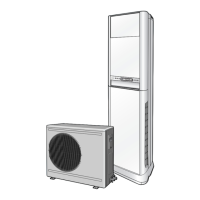
■ View of the Indoor Unit & Outdoor Unit ......................................................................... 4
■ Remote Control - Buttons .............................................................................................. 5
■ Control Panel ..................................................................................................................5
■ Getting Started ............................................................................................................... 6
■ Inserting the Remote Control Batteries ......................................................................... 7
■ Setting the Time ............................................................................................................. 8
◆ OPERATING YOUR AIR CONDITIONER
■ Operating Preparation .................................................................................................... 9
■ Using the Control Panel on the Indoor Unit .................................................................. 9
■ Using the Remote Control ............................................................................................. 9
■ Selecting the Automatic Operating Mode ...................................................................... 10
■ Cooling Your Room ......................................................................................................... 11
■ Changing the Room Temperature Quickly .................................................................... 12
■ Airing Your Room ............................................................................................................ 13
■ Adjusting the Air Flow Direction Horizontally ................................................................ 14
■ Adjusting the Air Flow Direction Vertically ..................................................................... 14
◆ P
ROGRAMMING YOUR AIR CONDITIONER
■ Setting the Off Timer ...................................................................................................... 15
■ Cancelling the Off Timer ................................................................................................ 15
◆ RECOMMENDATIONS FOR USE
■ Operating Recommendation .......................................................................................... 16
■ Temperature and Humidity Range ................................................................................. 16
■ Cleaning Your Air Conditioner ........................................................................................ 17
■ Solving Common Problems ........................................................................................... 18
■ Technical Specification ................................................................................................... 19
E-
3



 To Next Page