EasyManua.ls Logo

Samsung AQV07P Series - User Manual

Samsung AQV07P Series
23 pages
Print Icon
To Next Page IconTo Next Page
Loading...

Questions and Answers

Summary

Safety precautions

FOR INSTALLATION

Safety instructions for installing the air conditioner.

FOR POWER SUPPLY

Safety precautions related to electrical power supply.

FOR USING

Safety precautions during the operation of the air conditioner.

FOR CLEANING

Safety instructions for cleaning the air conditioner.

Checking before use

Operation ranges

Specifies the temperature and humidity ranges for efficient operation.

Maintaining your air conditioner

Internal protections and periodic maintenance checks for the unit control system.

Checking the name of the parts

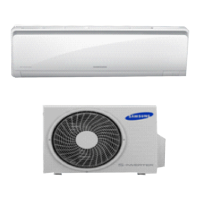
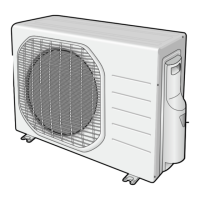
Main parts

Identifies and illustrates the primary components of the air conditioner.

Display

Explains the indicators and display elements on the indoor unit.

Checking the remote controller

Remote controller buttons

Details the functions of each button on the remote control.

Remote controller display

Explains the icons and information shown on the remote control display.

Battery changing time

Information on when and how to replace remote controller batteries.

Inserting the batteries

Step-by-step guide for inserting batteries into the remote controller.

Basic function

Auto

Automatic mode adjusts temperature and fan speed based on room conditions.

Cool

Mode for cooling the room, allowing temperature and fan speed adjustment.

Dry

Dehumidifies the air, making the room feel more refreshing in humid climates.

Fan

Circulates air in the room for ventilation without cooling or heating.

Heat

Heats the room during cold weather, with potential for reduced capacity in extreme cold.

Adjusting the air flow direction

Vertical air flow

Controls the up and down movement of the air flow blades.

Horizontal air flow

Controls the left and right direction of the air flow.

Using the Turbo function

Speeds up cooling by operating at auto fan speed for quick comfort.

goodsleep mode

When the air conditioner is on and in cool;heat mode

Instructions for activating and setting the good' sleep mode.

Temperature and fan speed changes in good sleep mode

Describes how temperature and fan speed adjust during the good' sleep cycle.

Setting the On;Off timer

Setting On timer

How to set the air conditioner to turn on automatically at a desired time.

Setting Off timer

How to set the air conditioner to turn off automatically at a desired time.

Additional options available in On timer mode

Allows setting mode, fan speed, and temperature when using the timer.

Using the Smart Saver function

Combining On Timer and Off Timer

Explains how to combine On and Off timer settings for sequential operation.

Smart Saver function

Limits temperature range to save energy during Cool mode operation.

Using the Quiet function

Using the Auto Clean function

Prevents mold by eliminating moisture inside the indoor unit.

Cleaning the air conditioner

Cleaning the indoor unit

Instructions for wiping the surface of the indoor unit.

Cleaning the outdoor unit heat exchanger

How to clean dust from the outdoor unit's heat exchanger.

Opening the panel

Guide on how to open the front panel of the indoor unit.

Removing the Air filter

Steps to remove the air filter from the indoor unit.

Cleaning the air filter

Instructions for cleaning the washable air filter.

Maintaining the air conditioner

Periodical checks

A chart outlining regular checks for indoor and outdoor units.

Troubleshooting

QUESTIONS OR COMMENTS?

Samsung AQV07P Series Specifications

General IconGeneral
BrandSamsung
ModelAQV07P Series
CategoryAir Conditioner
LanguageEnglish

Related product manuals