EasyManua.ls Logo

Samsung AR TXCA Series - User Manual

Samsung AR TXCA Series
52 pages
Print Icon
To Next Page IconTo Next Page
Loading...
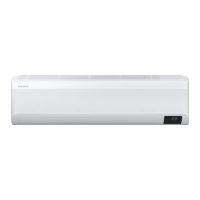
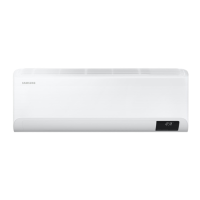
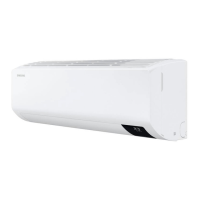
Air conditioner
User manual
AR**TXCA***
Thank you for purchasing this Samsung air conditioner.
Before operating this unit, please read this user manual carefully and retain it for future
reference.

Questions and Answers

  • C
    Connor KentAug 14, 2025
    Why my Samsung AR TXCA suddenly stops working?
    • D
      Donald TannerAug 14, 2025
      If your Samsung Air Conditioner stops working, first ensure it's receiving power by checking the circuit breaker. If it's off, flip it back on and restart the unit. If the issue continues, the Timed off function might have activated; turn the unit on again.
  • A
    Alex ReeseAug 17, 2025
    What to do if my Samsung Air Conditioner remote control does not work?
    • L
      Lori GrimesAug 17, 2025
      If the remote control for your Samsung Air Conditioner isn't working, try replacing the batteries. Also, make sure there are no obstructions between the remote and the unit, and keep bright lights, such as fluorescent bulbs or neon signs, away from the unit as they may interfere with the signal.
  • K
    Kevin SmithAug 21, 2025
    Why is my Samsung AR TXCA leaking water outside?
    • B
      blanchardmatthewAug 21, 2025
      If water drips from the pipe connections on the outdoor unit of your Samsung Air Conditioner, condensation may have developed due to significant changes in ambient temperature or humidity. This is normal.
  • A
    Alexander LewisAug 25, 2025
    Why is my Samsung AR TXCA blowing the wrong temperature?
    • W
      William WrightAug 25, 2025
      If your Samsung Air Conditioner is not providing the correct airflow temperature, check the set temperature. In Cool mode, cooling only occurs if the set temperature is lower than the current temperature. In Heat mode, heating only occurs if the set temperature is higher than the current temperature. Adjust the temperature using the remote. Also, ensure the air filter is clean, the outdoor unit isn't blocked, doors and windows are closed, and the pipe length doesn't exceed the maximum length.
  • L
    lisa70Aug 27, 2025
    Why I cannot change the temperature on my Samsung Air Conditioner?
    • T
      Terry CohenAug 27, 2025
      If you cannot change the temperature on your Samsung Air Conditioner, check if the unit is in Fan or Fast mode. In these modes, the unit automatically controls the temperature, and manual adjustments are not possible.
  • L
    Luis JohnsonAug 31, 2025
    Why does my Samsung AR TXCA smell?
    • E
      Erik CochranAug 31, 2025
      If odors are coming from your Samsung Air Conditioner during regular operation, and the unit is operating in a smoky area, ventilate the room or operate the unit in Fan mode for 3 to 4 hours. Also check if the drain lines are clean and clean them regularly.
  • J
    Jessica MartinSep 3, 2025
    Why can't I change the airflow direction on my Samsung AR TXCA Air Conditioner?
    • M
      michael00Sep 3, 2025
      If you cannot change the airflow direction on your Samsung Air Conditioner, check if the good'sleep function is activated in Cool mode. If it is, airflow direction control will be disabled.
  • M
    michaelsmithSep 6, 2025
    Why is my Samsung Air Conditioner so noisy?
    • K
      Kathleen WilliamsSep 6, 2025
      It's normal for your Samsung Air Conditioner to generate some noise while operating. However, if the pipe length between the units is less than 3 m and no coil was used, additional noise may be transmitted from the outdoor unit to the indoor unit via the piping.
  • S
    Sara DavisSep 10, 2025
    Why is smoke coming from my Samsung Air Conditioner outdoor unit?
    • B
      Bobby CookSep 10, 2025
      If you see smoke coming from the outdoor unit of your Samsung Air Conditioner in winter, it is most likely steam coming from the outdoor heat exchanger while the Defrost function is active.

Summary

Safety Information

Safety Notices and Symbols

Explains warning, caution, important, and note symbols used in the manual.

Installation Safety

Provides crucial safety instructions for installing the air conditioner unit.

Power and Usage Safety

Details safety precautions for power supply, operation, and malfunctions.

Cleaning Safety Precautions

Covers safety warnings and cautions for cleaning the appliance.

At a Glance

Indoor Unit Overview

Details the components and parts of the indoor air conditioner unit.

Indoor Unit Display

Explains the indicators and symbols shown on the indoor unit's display.

Remote Control Overview

Provides a guide to the buttons and indicators on the remote control.

Remote Control Operation

Selecting Operation Modes

Guides on choosing between Auto, Cool, Dry, Fan, and Heat modes.

Temperature and Fan Speed Control

Instructions on adjusting temperature and fan speed for different modes.

Airflow Direction Control

Explains how to control the direction of airflow from the unit.

Smart Features

Power Smart Features

Covers advanced cooling and intelligent modes like Wind-Free and AI Auto.

Variety Smart Features

Details additional smart functions such as motion detection and quiet operation.

Energy-Saving Features

Explains functions like electricity consumption check and Eco mode for efficiency.

Cleaning and Maintenance

Maintenance Schedule

Outlines recommended tasks, frequency, and who performs them.

Auto Clean Function

Explains how to activate and manage the auto-cleaning feature for odor removal.

Cleaning Air Filters

Details the process for cleaning air filters and resetting the reminder.

Cleaning the Wind-Free Panel

Describes the procedure for cleaning the Wind-Free panel.

Appendix

Troubleshooting Guide

Offers solutions for common problems encountered with the air conditioner.

Refrigerant Information

Provides important details and regulations regarding the refrigerant used.

SmartThings App Setup

Guides on connecting your smartphone to the air conditioner via the app.

Reference

EU Declarations of Conformity

Lists EU declarations of conformity for radio equipment in multiple languages.

Samsung AR TXCA Series Specifications

General IconGeneral
BrandSamsung
ModelAR TXCA Series
CategoryAir Conditioner
LanguageEnglish

Related product manuals