EasyManua.ls Logo

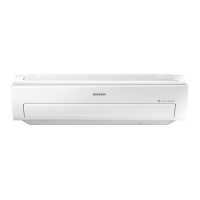
Samsung AR09KSFPDWQN - User Manual

Samsung AR09KSFPDWQN
52 pages
Print Icon
To Next Page IconTo Next Page
Loading...
QUESTIONS OR COMMENTS?
COUNTRY CALL OR VISIT US ONLINE AT
U.S.A
- Consumer
Electronics
- Mobile Phones
1-800-SAMSUNG (726-7864)
[HHP] 1-844-SAM-PAYS (726-7297)
www.samsung.com/us/support
CANADA 1-800-SAMSUNG(726-7864)
www.samsung.com/ca/support (English)
www.samsung.com/ca_fr/support (French)

Table of Contents

Questions and Answers

  • Y
    ydeanAug 18, 2025
    Why my Samsung AR09KSFPDWQN Air Conditioner doesn't turn on?
    • L
      leealexanderAug 18, 2025
      If your Samsung Air Conditioner isn't turning on, try the following: * Check the power status and try operating the air conditioner again. * Ensure the circuit breaker is switched on and the power cord is plugged in, then try again. * Confirm that the isolator is turned on. * Check if the Timed off function is running. If so, press the Power button to operate the air conditioner again.
  • E
    Eric JonesAug 20, 2025
    Why is my Samsung Air Conditioner outdoor unit leaking water?
    • S
      Sarah StewartAug 20, 2025
      Water drops from the pipe connections of the outdoor unit may be condensation that develops when the ambient temperature changes excessively. This is a normal operation.
  • A
    Adam SimpsonAug 26, 2025
    How to fix a Samsung Air Conditioner remote that's not working?
    • K
      kevinhamptonAug 26, 2025
      If your Samsung Air Conditioner remote control isn't working, try these steps: * Replace the batteries with new ones. * Ensure nothing is blocking the remote control sensor. * Check for strong lighting near the air conditioner, as it may interfere with the electric waves.
  • D
    David WheelerAug 28, 2025
    Why can't I change the temperature on my Samsung AR09KSFPDWQN Air Conditioner?
    • G
      garrett71Aug 28, 2025
      If you cannot change the temperature on your Samsung Air Conditioner, it might be because the Fan or Fast mode is running. In these modes, the air conditioner automatically controls the temperature, preventing manual adjustments.
  • R
    richard24Aug 30, 2025
    What to do if the indicator light is blinking on my Samsung AR09KSFPDWQN?
    • S
      Sara MorseAug 30, 2025
      If the indicator light on your Samsung Air Conditioner is blinking continuously, press the Power button to turn off the air conditioner or disconnect the power plug. If the indicator continues to blink, contact the service centre.
  • S
    Shannon ValdezSep 2, 2025
    What does it mean when an error is indicated on my Samsung AR09KSFPDWQN Air Conditioner?
    • R
      Robert RamirezSep 2, 2025
      If the indoor unit indicator blinks, contact the nearest service centre. Be sure to pass the error code to the service centre.
  • S
    Sarah JonesSep 4, 2025
    Why isn't the timer working on my Samsung AR09KSFPDWQN Air Conditioner?
    • G
      Gina LoweSep 5, 2025
      If the Timed on/off function on your Samsung Air Conditioner isn't working, make sure that you pressed the SET button on the remote control after setting the time.
  • J
    Janet ShawSep 7, 2025
    Why does my Samsung AR09KSFPDWQN Air Conditioner smell?
    • K
      kendrawhiteSep 7, 2025
      If you notice odors while your Samsung Air Conditioner is running, consider the following: * The air conditioner might be operating in a smoky area. Ventilate the room or run the air conditioner in Fan mode for 3 to 4 hours. * Check if the drains are clean and clean them regularly.
  • C
    colleen83Sep 9, 2025
    Why can't I adjust the fan speed on my Samsung AR09KSFPDWQN Air Conditioner?
    • T
      Tim OsbornSep 10, 2025
      If you cannot change the fan speed on your Samsung Air Conditioner, it's likely because the unit is running in Auto, Dry, or Fast mode. Also, the good'sleep function running in Cool mode can cause this. In these modes, the air conditioner automatically controls the fan speed.
  • M
    Mariah JamesSep 12, 2025
    Why is my Samsung Air Conditioner making noise?
    • M
      mistystewartSep 12, 2025
      Noise may be generated when refrigerant flow changes, depending on the status of the Samsung Air Conditioner. This is a normal operation.

Summary

Safety Information

General Safety Precautions

Essential safety guidelines for operation, installation, and handling of the air conditioner.

At a Glance

Remote Control Operation

How to operate the air conditioner using the remote control for modes, temperature, and fan speed.

Power Smart Features

Cooling Operation

Using the Cool mode and 2-Step cooling function for effective and rapid cooling.

Heating Operation

Operating the Heat mode for warmth and understanding the defrost function.

Troubleshooting

Air Conditioner Does Not Work

Solutions for when the air conditioner fails to operate.

No Cool or Warm Air Output

Diagnosing issues when air flow is not as expected.

Error Indication

How to handle error code indications.

Installation

Safety Information on Installation

Crucial safety precautions specifically for the installation process.

Unit Installation Procedures

Procedures and considerations for installing the indoor and outdoor units.

Power Supply and Circuit Protection

Guidelines for electrical connections, fuses, and circuit breakers.

Refrigerant Pipe Connection

Connecting assembly pipes to refrigerant pipes between units.

Outdoor Unit Mounting

Steps for securely installing the outdoor unit on its support.

System Air Evacuation

Removing air and moisture from the refrigerant system.

Post-Installation Checks

Performing necessary checks and tests after installation is complete.

Gas Leak Testing

Testing the system for refrigerant leaks using soap lather or liquid.

Final Check and Trial Operation

Final operational checks and trial run of the air conditioner.

Samsung AR09KSFPDWQN Specifications

General IconGeneral
Power Supply220-240V, 50Hz
Cooling Capacity9000 BTU/h
Energy Efficiency Class CoolingA
Power Consumption800 W
Outdoor Unit Noise Level50 dB

Related product manuals