3-4
3. Disassembly and Assembly
Description Photo Screws
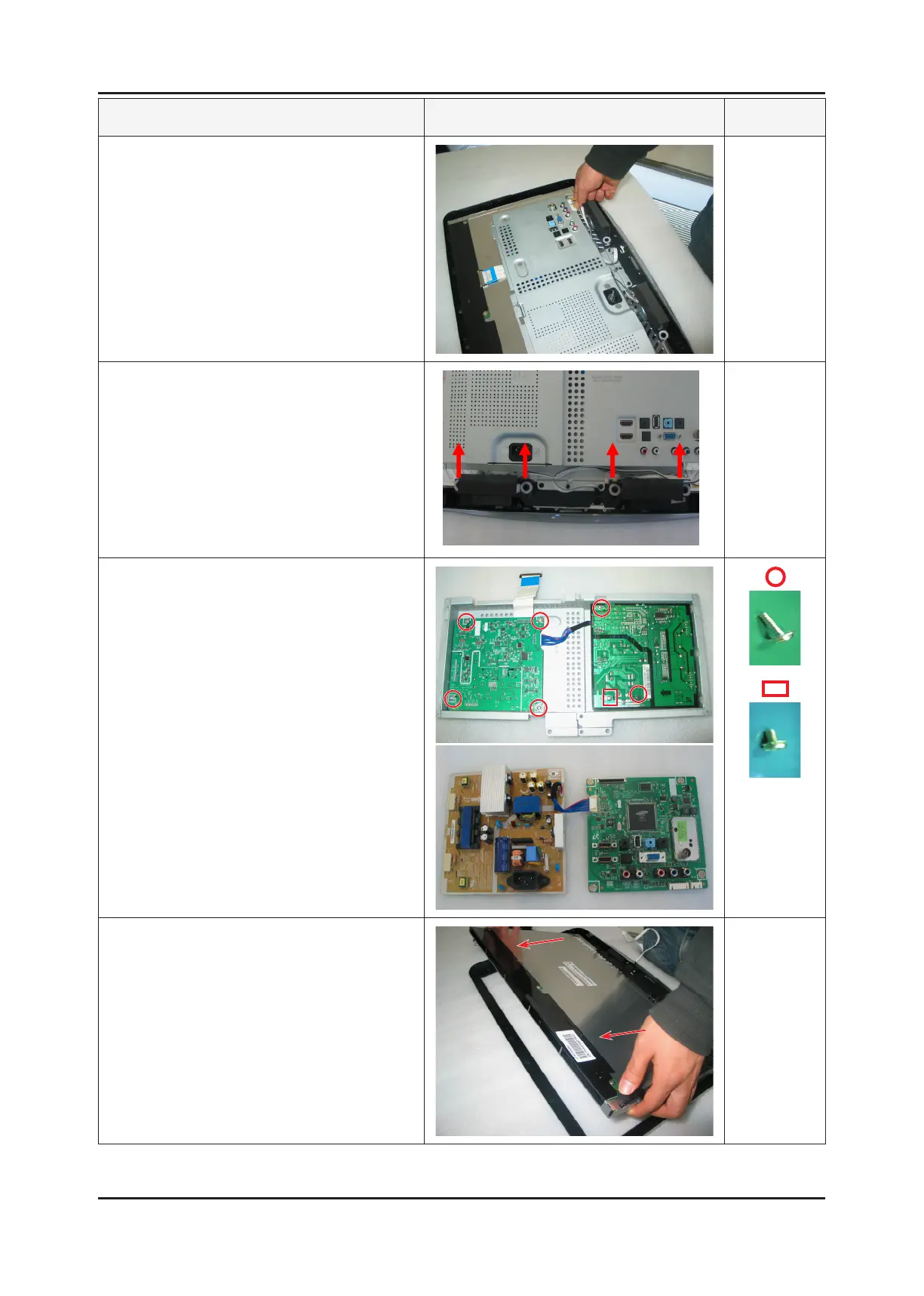
8. Remove the Function & SPK wires.
9. Remove the SPK upwards.
10. Remove the Assy Shield-Cover.
Disassemble the PCB inside the Assy.
11. Disassemble the panel.
※ Reassembly procedures are in the reverse order of disassembly procedures.






 To Next Page