EasyManua.ls Logo

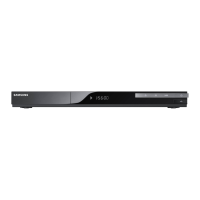
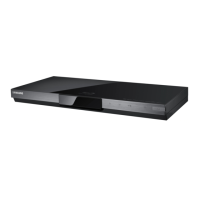
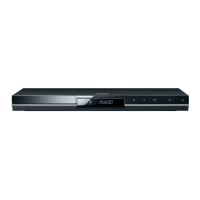
Samsung BD-C7500 - User Manual

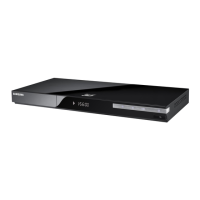
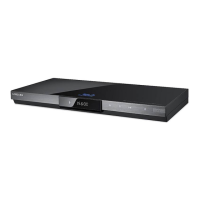
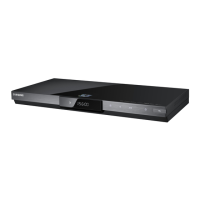
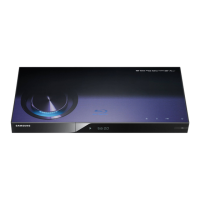
Samsung BD-C7500
70 pages
Print Icon
To Next Page IconTo Next Page
Loading...
imagine the possibilities
Thank you for purchasing this Samsung product.
To receive more complete service,
please register your product at
www.samsung.com/register
Blu-ray Disc Player
user manual
BD-C7500

Table of Contents

Questions and Answers

  • R
    Rhonda NguyenSep 2, 2025
    Why is Samsung BD-C7500 video played intermittently?
    • J
      Joshua BrownSep 2, 2025
      If the video on your Samsung Blu-ray Player plays intermittently, check the stability of your network connection. Ensure the network cable is properly connected and the network isn't overloaded. If you're using a wireless connection, verify its stability.
  • T
    Travis LucasAug 31, 2025
    What to do if Samsung Blu-ray Player screen is blocked?
    • P
      Paul LambertAug 31, 2025
      If the screen is blocked when using your Samsung Blu-ray Player, it may be due to the HDMI output being set to a resolution your TV doesn't support (e.g., 1080p). To resolve this, press and hold the STOP button on the top panel for more than 5 seconds without a disc inside to revert all settings to factory defaults. Note that this will delete all stored user BD data.
  • M
    Michael MejiaAug 29, 2025
    How to troubleshoot Samsung Blu-ray Player no HDMI output?
    • T
      Traci DavisAug 29, 2025
      If there is no HDMI output from your Samsung Blu-ray Player, check the connection between the TV and the player's HDMI jack. Also, ensure your TV supports the HDMI input resolution (480p, 720p, 1080i, or 1080p).
  • J
    Jessica MendozaAug 27, 2025
    Why my Samsung BD-C7500 disc does not play?
    • M
      markgreenAug 28, 2025
      If your Samsung Blu-ray Player isn't playing a disc, make sure the disc is inserted correctly with the label side facing up. Also, verify that the region code of the Blu-ray Disc or DVD is compatible with your player.
  • C
    Catherine ContrerasAug 26, 2025
    What to do if I forgot my Samsung BD-C7500 Blu-ray Player password?
    • J
      Jessica JonesAug 26, 2025
      If you forgot your password for your Samsung Blu-ray Player, you can reset all settings, including the password, to the factory defaults by pressing the STOP button on the top panel for more than 5 seconds without a disc inside. Note that this will delete all user data stored in the BD data, so use this method only when necessary.
  • B
    Bradley ConradAug 25, 2025
    Why is Samsung BD-C7500 AllShare connection between TV and PC unstable?
    • G
      gordonmaryAug 25, 2025
      If the AllShare connection between your TV and PC is unstable, ensure that IP addresses under the same subnetwork are unique to prevent IP collision. Additionally, check if you have a firewall enabled and, if so, disable it.
  • B
    brandon23Aug 22, 2025
    Why I cannot connect to Samsung Blu-ray Player BD-LIVE server?
    • M
      monica69Aug 22, 2025
      To troubleshoot connection issues with the BD-LIVE server on your Samsung Blu-ray Player, first, check your network connection using the Network Test menu. Ensure a USB memory device with at least 1GB of free space is connected. Verify that the BD-LIVE Internet Connection menu is set to Allow (All). If problems persist, consider contacting the content provider or updating to the latest firmware.

Summary

Key Features

Blu-ray Disc Capabilities

Explains Blu-ray Disc features: high capacity, video quality, supported codecs, HD resolutions, and interactivity.

Player Network Features

Details player features like BD-LIVE for downloading content and Internet@TV for accessing applications and services.

Safety and Installation

General Safety Warnings and Compliance

Covers electrical safety warnings, FCC compliance, RF radiation exposure, and important user instructions.

Laser Safety and Disc Handling

Addresses Class 1 Laser product classification, safety instructions, and guidelines for handling discs.

Player Installation Guide

Provides steps and precautions for installing the player on a stand or wall.

Getting Started and Connections

Disc Compatibility and Region Codes

Details playable/unsupported disc types, playback notes, compatibility, and region code matching.

Player Overview and Controls

Describes the player's top/bottom panels and introduces the remote control functions.

Connecting to TVs and Audio Systems

Step-by-step guides for connecting the player to TVs and audio systems via various cables.

Network Connection Setup

Instructions for establishing wired (LAN) and wireless network connections.

Setup and Basic Functions

Initial Setup and Menu Navigation

Guides through initial player configuration, language, aspect ratio, and menu system operation.

Display and Audio Settings

Configures screen aspect ratio, resolution, HDMI format, and various audio output options.

System Settings and Media Features

Covers system settings, Internet@TV, Anynet+, clock, DivX, and BD data management.

Disc Playback Operations

Details basic playback, menu navigation, search, skip, repeat, and media playback (CD, MP3, JPEG, USB).

Network Services and Appendix

Internet@TV and Account Management

Guides on using Internet@TV, account creation, app management, and available services.

BD-LIVE and AllShare Functionality

Explains how to enjoy BD-LIVE content and share media via the AllShare function.

Troubleshooting and Specifications

Provides solutions for common issues, technical specifications, and compatibility information.

Legal, Warranty, and Support Information

Includes compliance notices, licenses, warranty details, and customer contact information.

Samsung BD-C7500 Specifications

General IconGeneral
3DNo
HDMIYes
Wi-Fi-
Weight1501 g
HDMI version1.3
Product colorBlack
Internal memory1024 MB
Playback formatsMPEG2, H.264, VC-1, AVCHD, DIVX HD, MKV, MP4, WMV9, 3GPP, HD JPEG
Dimensions (WxDxH)420 x 175 x 33 mm
Disc types supportedBD-R, BD-RE, CD, CD-R, CD-RW, DVD+RW, DVD-R, DVD-RW
USB 2.0 ports quantity1
Video formats supportedDIVX, H.264, M-JPEG, MKV, MP4, MPEG2

Related product manuals