EasyManua.ls Logo

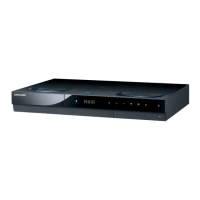
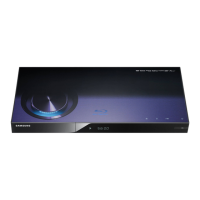
Samsung BD-C8000 - User Manual

Samsung BD-C8000
85 pages
Print Icon
To Next Page IconTo Next Page
Loading...
imagine the possibilities
Thank you for purchasing this Samsung product.
To receive more complete service,
please register your product at
www.samsung.com/register
Portable Blu-ray Multimedia Player
user manual
BD-C8000
BD-C8000-XAA-ENG-1_0703.indd 1BD-C8000-XAA-ENG-1_0703.indd 1 2010-07-03  11:46:532010-07-03  11:46:53

Table of Contents

Questions and Answers

  • M
    Megan BarnettSep 12, 2025
    Why pressing the LCD ON/OFF button after connecting the Samsung BD-C8000 to a TV with an HDMI cable does not display video on the LCD monitor?
    • S
      Stephanie ClarkSep 12, 2025
      If the player is connected to a 3D supporting TV and playing a 3D Blu-ray disc, the LCD ON/OFF button will not display video on the product’s LCD screen.
  • R
    Ryan GarnerSep 12, 2025
    Why does the video quality displayed on the Samsung BD-C8000’s LCD become lower suddenly?
    • S
      shelley24Sep 12, 2025
      If the product outputs video through an HDMI cable connected to a TV, the LCD screen resolution may be lowered. Disconnect the HDMI cable from the TV to display video on the product’s LCD screen in higher resolution.
  • M
    Michael JohnsonSep 10, 2025
    Why is there no video from the analog AV connection on my Samsung Blu-ray Player?
    • H
      hdavisSep 10, 2025
      Verify that the Audio/Video cable is correctly connected to the AV jack (yellow). Connecting it to the earphones jack will prevent normal video and audio output.
  • R
    Roy ScottSep 9, 2025
    Why is a loud noise heard from the earphones connected to my Samsung BD-C8000?
    • J
      Justin SantosSep 9, 2025
      Ensure that the earphones are connected to the earphones jack ( ) properly. If they are connected to the AV jack (yellow), you will not hear sound normally.
  • T
    Thomas LangSep 8, 2025
    Why does battery charging take too long on my Samsung BD-C8000?
    • A
      amanda32Sep 8, 2025
      Charging the product while it is in use will extend the charging time. For faster charging, turn the power off while charging.
  • L
    lawrence10Aug 23, 2025
    Why does my Samsung BD-C8000 Blu-ray Player have no HDMI output?
    • T
      Troy LeeAug 23, 2025
      Ensure the HDMI cable is securely connected between your TV and the Blu-ray player's HDMI jack. Also, verify that your TV supports the HDMI input resolution (480p, 720p, 1080i, or 1080p).
  • H
    heatherstewartSep 6, 2025
    Why is the Dolby Digital audio volume too low on my Samsung BD-C8000?
    • M
      Megan DudleySep 6, 2025
      Change the Dynamic Range Control setting to On. This will increase the volume level of Dolby Digital, which offers a wide dynamic sound range.
  • E
    eherreraSep 5, 2025
    What to do if the battery pack of Samsung Blu-ray Player won’t charge?
    • R
      Reginald FergusonSep 5, 2025
      A hot battery pack may take longer to charge. Wait until the battery pack is sufficiently cooled down.
  • M
    Meghan GarrettSep 4, 2025
    Why is the picture noisy or distorted on my Samsung BD-C8000?
    • K
      karenalexanderSep 4, 2025
      Check the disc for dirt or scratches. If necessary, clean the disc.
  • D
    dmendezSep 3, 2025
    What to do if my Samsung BD-C8000 Blu-ray Player forgot password?
    • K
      Kevin WilsonSep 3, 2025
      Press and hold the STOP button on the Blu-ray player for more than 5 seconds without a disc inside. This action will reset all settings, including the password, to their factory defaults.

Samsung BD-C8000 Specifications

General IconGeneral
BrandSamsung
ModelBD-C8000
CategoryBlu-ray Player
LanguageEnglish

Related product manuals