English 47
06 Basic Functions
Using the Search and Skip Functions
During play, you can search quickly through a
chapter or track, and use the skip function to
jump to the next selection.
Searching for a Desired Scene
hzZyx
• During playback, press the SEARCH ( )
button.
Each time you press the SEARCH (
)
button, the playback speed will change as follows
:
BD-ROM,
BD-RE/-R,
DVD-RW/-R,
DVD+RW/+R,
DVD-VIDEO
)
1
)
2
)
3
)
4
)
5
)
6
)
7
(
1
(
2
(
3
(
4
(
5
(
6
(
7
DivX, MKV, MP4
)
1
)
2
)
3
(
1
(
2
(
3
• To return to normal speed playback, press the
PLAY (
) button.
✎
NOTE
`
The player does not play sound in search mode.
Skipping Chapters
hzZyx
• During playback, press the SKIP ( )
button.
If you press the SKIP (
) button, the disc
moves to the next chapter.
If you press the SKIP (
) button, the disc
moves to the beginning of the chapter. One
more press makes the disc move to the
beginning of the previous chapter.
Slow Motion Play/Step Motion Play
Slow Motion Play
hzZyx
• In pause mode, press the SEARCH ( )
button.
Each time you press the SEARCH (
) button,
the playback speed will change as follows:
*
1/8
*
1/4
*
1/2
• To return to normal speed playback, press the
PLAY (
) button.
✎
NOTE
`
The player does not play sound in Slow mode.
Step Motion Play
hzZyx
• In pause mode, press the PAUSE ( ) button.
Each time you press the PAUSE (
) button, a
new frame appears.
• To return to normal speed playback, press the
PLAY (
) button.
✎
NOTE
`
The player does not play sound in Step mode.
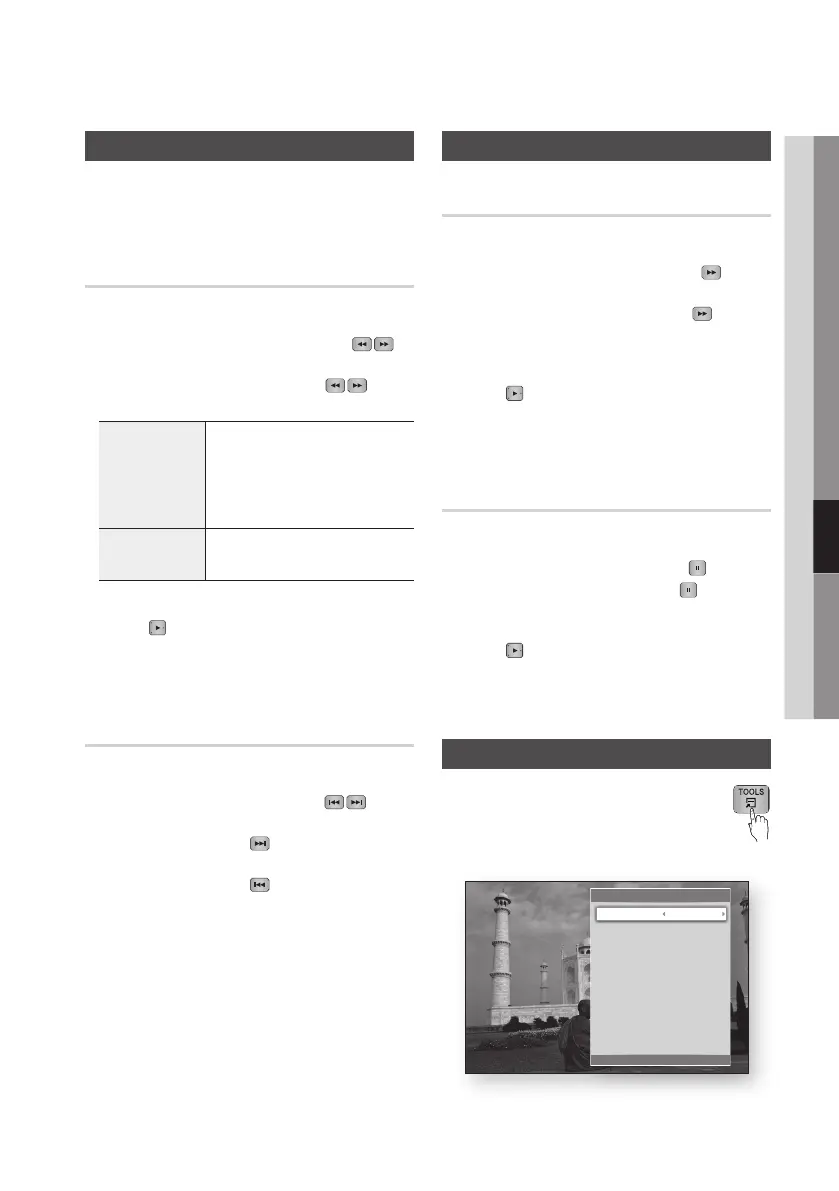
Using the TOOLS button
During playback, you can operate the disc
menu by pressing the TOOLS button.
• Tools Menu Screen
Tools
<
Change
"
Enter
'
Return
Title Search 1/2
Chapter Search : 1/20
Time Search : 00:00:13/01:34:37
Repeat Mode : 0ff
Full Screen : Original
Picture Settings : Normal
Audio : 1/1 JPN 2CH
Subtitle : 0/2 Off
Angle : 1/1
BONUSVIEW Video : Off
BONUSVIEW Audio : 0/1 Off









 To Next Page