EasyManua.ls Logo

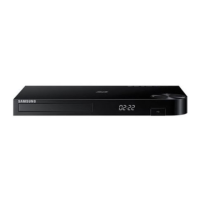
Samsung BD-HM59C - User Manual

Samsung BD-HM59C
32 pages
Print Icon
To Next Page IconTo Next Page
Loading...
imagine the possibilities
Thank you for purchasing this Samsung product.
To receive more complete service,
please register your product at
www.samsung.com/register
Blu-ray
Disc Player

BD-HM59
BD-HM59C


Questions and Answers

  • J
    jrichardsonAug 9, 2025
    How to fix no HDMI output on Samsung BD-HM59C?
    • T
      Tamara OrtizAug 9, 2025
      To troubleshoot a missing HDMI output on your Samsung Blu-ray disc player, first, ensure the connection between your TV and the player's HDMI jack is secure. Then, verify that your TV supports the HDMI input resolution being output by the player, such as 480p, 720p, 1080i, or 1080p.
  • G
    Gloria BurgessAug 15, 2025
    Why is DLNA connection between Samsung BD-HM59C and PC unstable?
    • H
      howellbenjaminAug 15, 2025
      If the DLNA connection between your Samsung Blu-ray player and PC is unstable, it might be due to IP address interference. Ensure that the IP addresses within the same subnetwork are unique. If the issue persists, check if your firewall is enabled and, if so, disable it to see if it resolves the connection problem.
  • B
    brandongonzalezAug 21, 2025
    Why is video played intermittently on Samsung BD-HM59C Blu-ray disc player?
    • M
      Monica ChanAug 21, 2025
      To resolve intermittent video playback on your Samsung Blu-ray disc player, check the stability of your network connection. Also, ensure the network cable is properly connected and that the network is not overloaded. If you are using a wireless connection, verify the connection between the DLNA-compatible device and the player is stable.
  • C
    Carrie YoungAug 27, 2025
    Why can't I see files in DLNA folders on Samsung BD-HM59C?
    • H
      Henry GardnerAug 28, 2025
      If you see folders shared through DLNA on your Samsung Blu-ray disc player but cannot see the files, it is because DLNA only displays files corresponding to the Image, Music, and Movie categories. Files that do not fall into these categories will not be displayed.
  • C
    Chad MartinezSep 2, 2025
    What to do if BD-LIVE service error occurs on Samsung Blu-ray disc player?
    • T
      Troy PerezSep 2, 2025
      If you encounter errors when using the BD-LIVE service on your Samsung Blu-ray disc player, it may be due to insufficient memory. Ensure that the memory device has at least 1GB of free space available. You can check the available space in the BD Data Management settings.

Summary

Important Safety Instructions

General Safety Precautions

Detailed safety guidelines for product usage, placement, and environmental considerations.

FCC and Laser Product Compliance

Regulatory compliance information for FCC regulations and Class 1 Laser Product standards.

Danger and Caution Warnings

Specific warnings regarding electrical shock, laser exposure, and hazardous conditions.

Using the 3 D Function

3 D Viewing Health and Safety

Guidelines for safe and comfortable 3D viewing, including eye strain and discomfort warnings.

Initial Setup Procedure

Network Setup Options

Guide to configuring network connection during the initial setup process.

Settings Menu Navigation

Display and 3 D Settings

Options for adjusting TV aspect ratio, resolution, and 3D playback settings.

Resolution and BD Wise Configuration

Settings for video output resolution and Samsung's BD Wise feature.

Advanced Playback Settings

Network Settings Configuration

Detailed steps for configuring network settings and connection types.

Using Streaming Services

Netflix Usage Guide

Steps for accessing and using the Netflix streaming service on the player.

Online Music and Video Services

Pandora Usage Guide

Instructions for streaming music from Pandora via the player.

YouTube Usage Guide

Steps for accessing and streaming video content from YouTube.

Troubleshooting Common Issues

Remote Control and Disc Playback Problems

Solutions for common issues with remote operation and disc playback.

Network and DLNA Issues

Troubleshooting steps for network connectivity, DLNA, and BD-Live problems.

Product Specifications

Compliance and Compatibility Notices

Technical specifications and notices regarding disc compatibility and regulatory compliance.

Limited Warranty Information

Warranty Service and Limitations

Details on obtaining warranty service, coverage, and limitations.

Contact and Support Information

Samsung BD-HM59C Specifications

General IconGeneral
TypeBlu-ray Disc Player
Video OutputHDMI
Output Resolution1080p
Internet ConnectivityYes
Smart TVNo
Playable Media FormatDVD, CD
Audio OutputDTS Decoding
USB PortYes

Related product manuals