Oven Use (Continued)
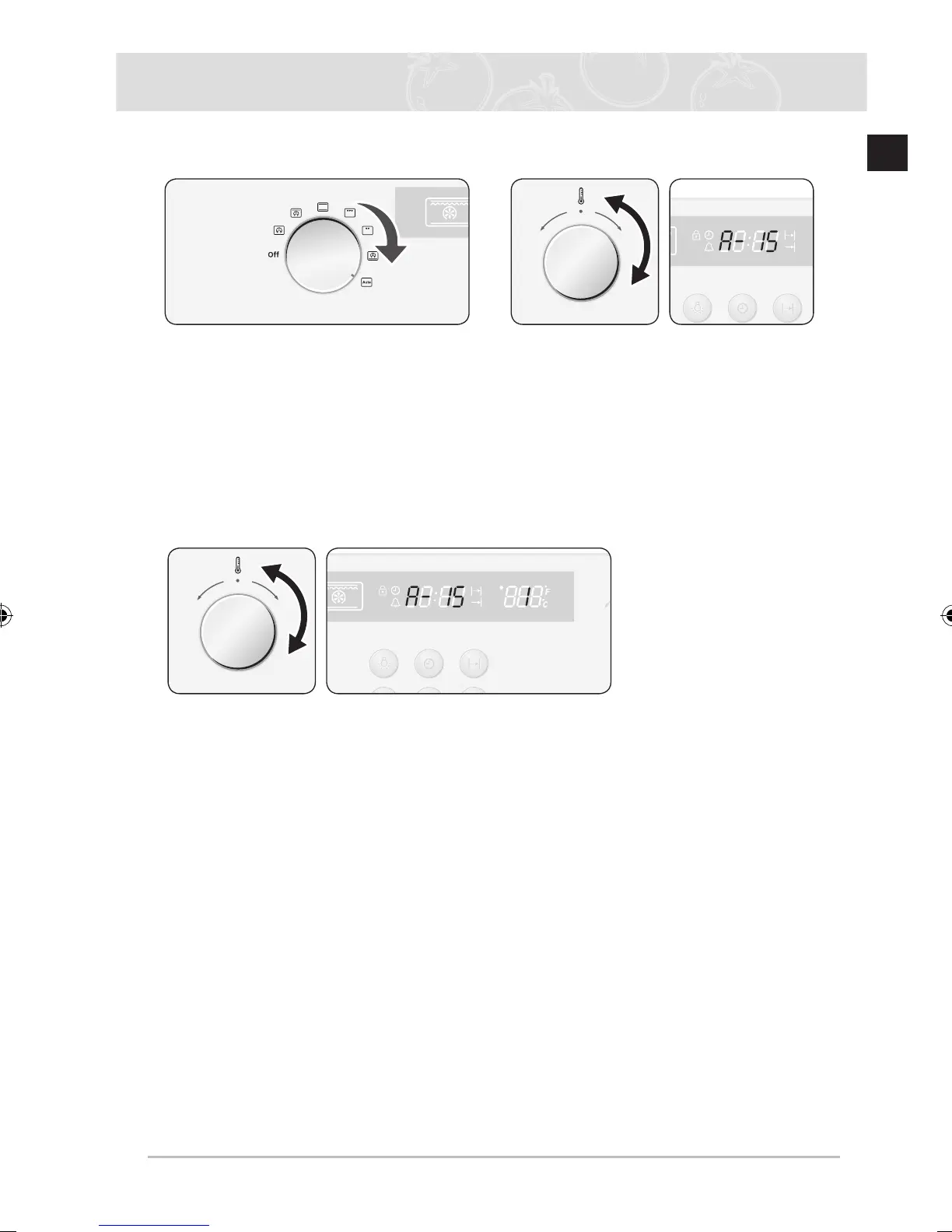
Auto Cook
1
Turn the Cooking Function Knob to
Auto Cook.
2
Select the desired recipe by turning
the Time/Temp control knob to the
right and left. Wait to select weight 5
seconds after selecting a recipe. For a
recipe with weight fixed, start cooking
immediately.
3
Select the desired weight by turning the Time/Temp control knob to the right and
left. Preheating time(min:sec) is displayed, and countdown starts 5 seconds after the
weight is selected. For a recipe without preheating, remaining cooking time(hr:min) is
displayed.
Preheat countdown completed
Upon completion of preheating, the oven beeps and the remaining cooking time(hr:min)
is displayed. Keep “Preheat condition” until food is inserted into the oven, and Cook Time
Button is pressed.



 To Next Page