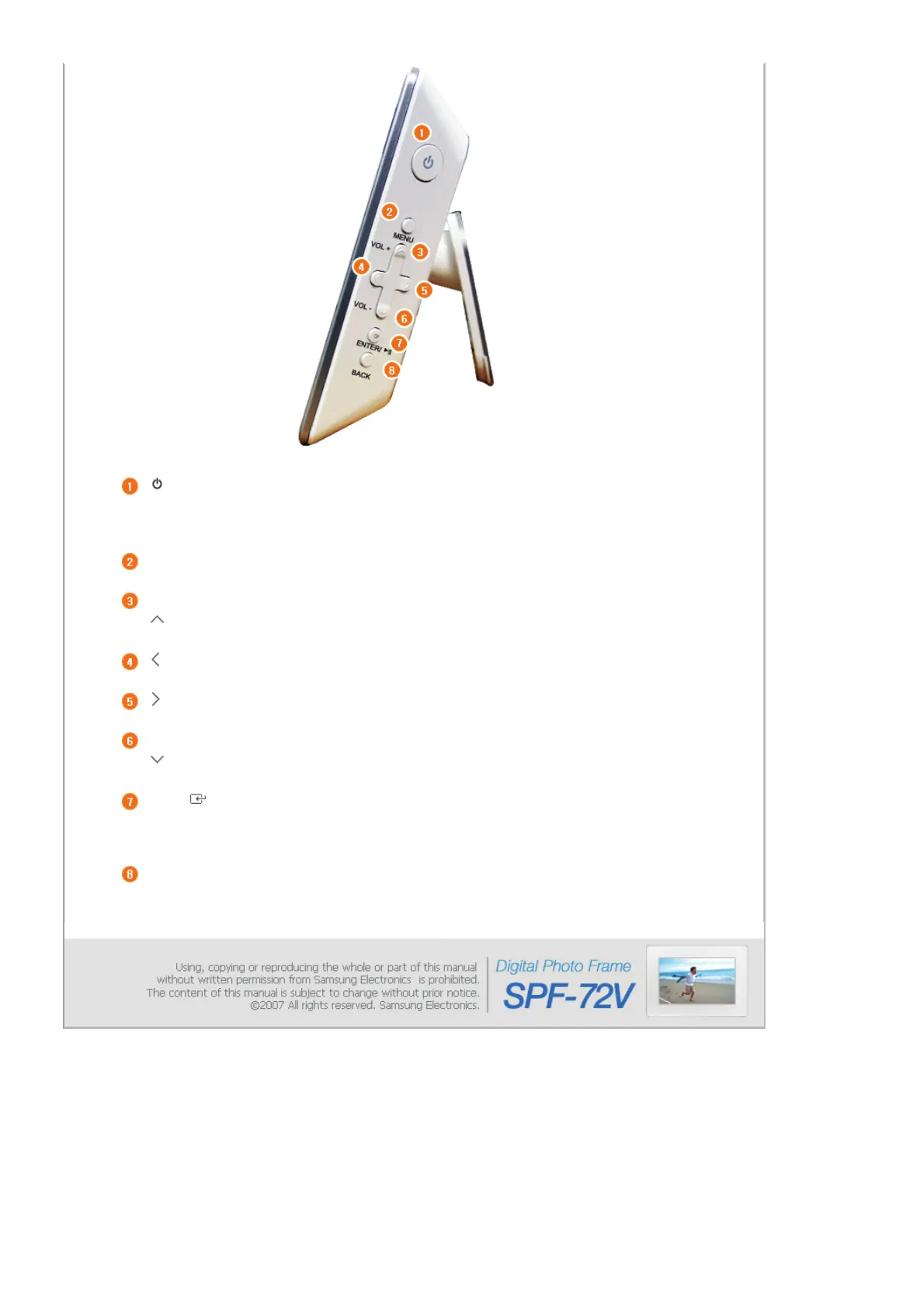
[] Power Button
urns the product on or off.
Hold down the power button at the right of the product for about 2 seconds.
Power Indicator Shows the power status. When the product is powered on, the power light turns
on.
[MENU] Menu Button Displays the menu window at the bottom left corner of the screen.
[VOL +] Volume Button
d
usts the sound volume when playin
music files or movies.
[] Up Button
Used for moving up.
[] Left Button
Used for moving left.
[ ] Right Button
Used for moving right.
[VOL +] Volume Button
d
usts the sound volume when playin
music files or movies.
[ ] Down Button
Used for moving down.
[ENTER( )] Enter Button
Used for selection.
[ ▶ll ] Play / Pause
Button
Play / Pause during playback.
[BACK] Back Button Return to the previous menu.


 To Next Page