EasyManua.ls Logo

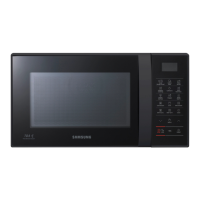
Samsung CE76JD - User Manual

Samsung CE76JD
52 pages
Print Icon
To Next Page IconTo Next Page
Loading...
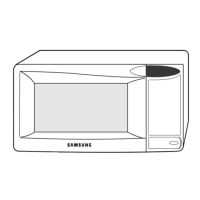
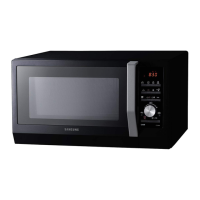
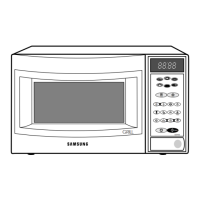
Microwave Oven
Owners Instructions & Cooking Guide
CE76JD
CE76JD-B
CE76JD-CR
imagine the possibilities
Thank you for purchasing this Samsung product.
Please be advised that the Samsung warranty does NOT cover service
calls to explain product operation, correct improper installation, or
perform normal cleaning or maintenance.
CE76JD-CR_XTL_DE68-04168C-00_EN.indd 1 2015-04-14 �� 12:10:45

Questions and Answers

  • E
    edwardnelsonSep 8, 2025
    Why does my Samsung CE76JD Microwave Oven start working immediately when connected to power?
    • S
      swansonjenniferSep 8, 2025
      If your Samsung Microwave Oven starts working immediately when you connect the power, it indicates that the door is not properly closed. Close the door completely and check again.
  • A
    Anthony WoodsAug 23, 2025
    Why is the time not displayed on my Samsung Microwave Oven?
    • A
      Amanda FernandezAug 23, 2025
      If the time isn't showing on your Samsung Microwave Oven, first check that the oven is receiving power. If it is, the Eco (power-saving) function might be activated. Try turning off the Eco function.
  • M
    mcguirelukeAug 25, 2025
    Why can't I press the buttons on my Samsung CE76JD Microwave Oven properly?
    • J
      Justin SmithAug 25, 2025
      If the buttons on your Samsung Microwave Oven aren't working correctly, there might be something stuck between them. Remove any foreign matter and try again. If it's a touch model, wipe away any moisture on the exterior. Also, check if the Child lock is activated and deactivate it if necessary.
  • K
    Katherine ParksAug 26, 2025
    What to do if my Samsung Microwave Oven does not work?
    • J
      Jennifer YoungAug 27, 2025
      If your Samsung Microwave Oven isn't working, first ensure that it's properly connected to a power source. Also, make sure the door is fully closed. If the safety mechanisms around the door are obstructed by any foreign matter, remove it.
  • S
    shannonmathisAug 27, 2025
    Why does my Samsung CE76JD power off during operation?
    • A
      April MillerAug 27, 2025
      If your Samsung Microwave Oven turns off during operation, it might be due to several reasons. If the oven has been cooking for an extended period, allow it to cool down. Check if the cooling fan is working. Ensure there's food inside the oven during operation. Also, confirm that there's enough ventilation space around the oven and that it's the only appliance plugged into the socket.
  • B
    bcookSep 22, 2025
    Why is there electricity coming from my Samsung CE76JD?
    • K
      Kimberly CameronSep 22, 2025
      If you feel electricity coming from your Samsung Microwave Oven, it suggests that the power or power socket is not properly grounded. Ensure that both the power and the power socket are correctly grounded.
  • H
    hughesgarrettSep 16, 2025
    Why does the turn table drag in my Samsung CE76JD Microwave Oven?
    • M
      mhamptonSep 16, 2025
      If the turn table in your Samsung Microwave Oven drags while turning, it might be because the roller ring isn't properly in place, there's too much food on the turntable, or the container is too large. Adjust the amount of food and avoid using containers that are too large.
  • R
    Ruth KimSep 18, 2025
    Why does the turn table rattle in my Samsung CE76JD?
    • M
      Mia CampbellSep 18, 2025
      If the turn table in your Samsung Microwave Oven rattles and is noisy while turning, it's likely due to food residue stuck to the bottom of the oven. Remove any food residue to resolve the issue.
  • C
    cody18Sep 7, 2025
    Why does my Samsung Microwave Oven beep during cooking?
    • T
      Thomas JonesSep 7, 2025
      If your Samsung Microwave Oven beeps during cooking while using the Auto Cook function, it indicates that it's time to turn over the food during thawing. After turning the food, press the Start button again to continue.
  • J
    Jocelyn TaylorSep 4, 2025
    What to do if the door of my Samsung CE76JD Microwave Oven cannot be opened properly?
    • R
      Ryan HoffmanSep 4, 2025
      If you're having trouble opening the door of your Samsung Microwave Oven, check for any food residue stuck between the door and the oven interior. Clean the oven thoroughly and then try opening the door again.

Summary

Safety Information and Precautions

Key Safety Instructions

Crucial safety guidelines for appliance operation and user safety.

Installation and Cleaning Guidelines

Guidelines for proper oven placement, installation, and cleaning.

Microwave Energy Exposure Safety

Safety measures to prevent harmful microwave energy exposure.

Comprehensive Oven Usage

Cooking, Reheating, and Defrosting Guide

Step-by-step guides for cooking, reheating, and power defrosting food.

Convection & Combination Cooking

Using convection, grill, and combined modes for diverse cooking.

Cooking and Reheating Instructions

Troubleshooting and Information Codes

Oven Problem Diagnosis and Solutions

Table addressing issues like button unresponsiveness or heating failures.

Samsung CE76JD Specifications

General IconGeneral
BrandSamsung
ModelCE76JD
CategoryMicrowave Oven
LanguageEnglish

Related product manuals