English - 3
Contents
◆ CONNECTING AND PREPARING YOUR TELEVISION
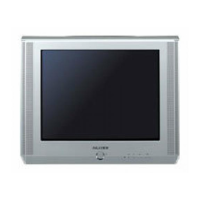
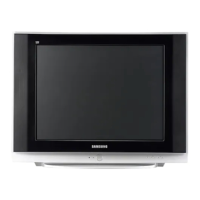
■ View of Your Television (depending on the model) ....................................... 5
■ Infrared Remote Control (depending on the model) ...................................... 7
■ Inserting the Batteries in the Remote Control................................................ 9
■ Connecting to an Aerial or Cable Television Network ................................... 9
■ Switching Your Television On and Off........................................................... 10
■ Placing Your Television in Standby Mode..................................................... 10
■ Becoming Familiar with the Remote Control ................................................. 11
■ Plug & Play Feature....................................................................................... 12
■ Viewing the Demonstration............................................................................ 13
■ Choosing Your Language.............................................................................. 13
◆ SETTING THE CHANNELS
■ Storing Channels Automatically..................................................................... 14
■ Sorting the Stored Channels ......................................................................... 15
■ Storing Channels Manually............................................................................ 16
■ Skipping Unwanted Channels ....................................................................... 18
■ Assigning Names to Channels ...................................................................... 19
■ Fine Tuning Channel Reception.................................................................... 20
◆ USING YOUR TELEVISION
■ Using the LNA (Low Noise Amplifier) feature (depending on the model) ...... 21
■ Changing the Picture Standard ..................................................................... 21
■ Adjusting the Picture Settings (depending on the model).............................. 22
■ Selecting the Color Tone ............................................................................... 23
■ Selecting the Picture Size (depending on the model).................................... 23
■ Extra Picture Settings (depending on the model).......................................... 24
■ Setting the Blue Screen................................................................................. 25
■ Using the Tilt Control Feature........................................................................ 25
■ Freezing the Current Picture ......................................................................... 26
■ Changing the Sound Standard ...................................................................... 26
■ Adjusting the Sound Settings ........................................................................ 27
■ Extra Sound Settings (depending on the model)........................................... 28
■ Selecting the Melody ..................................................................................... 29
■ Selecting the Sound Mode (depending on the model) .................................. 30
■ Setting and Displaying the Current Time....................................................... 31
■ Setting the Sleep Timer ................................................................................. 32
■ Switching the Television On and Off Automatically ....................................... 33
■ Setting the Preferred Volume Level/Channel ................................................ 34
■ Viewing an External Signal Source/Edit Name (depending on the model).... 35
■ Viewing the Picture In Picture (PIP) (depending on the model) .................... 36
AA68-03330A-01EngAsia 10/13/04 5:58 PM Page 3





 To Next Page