23
ENG
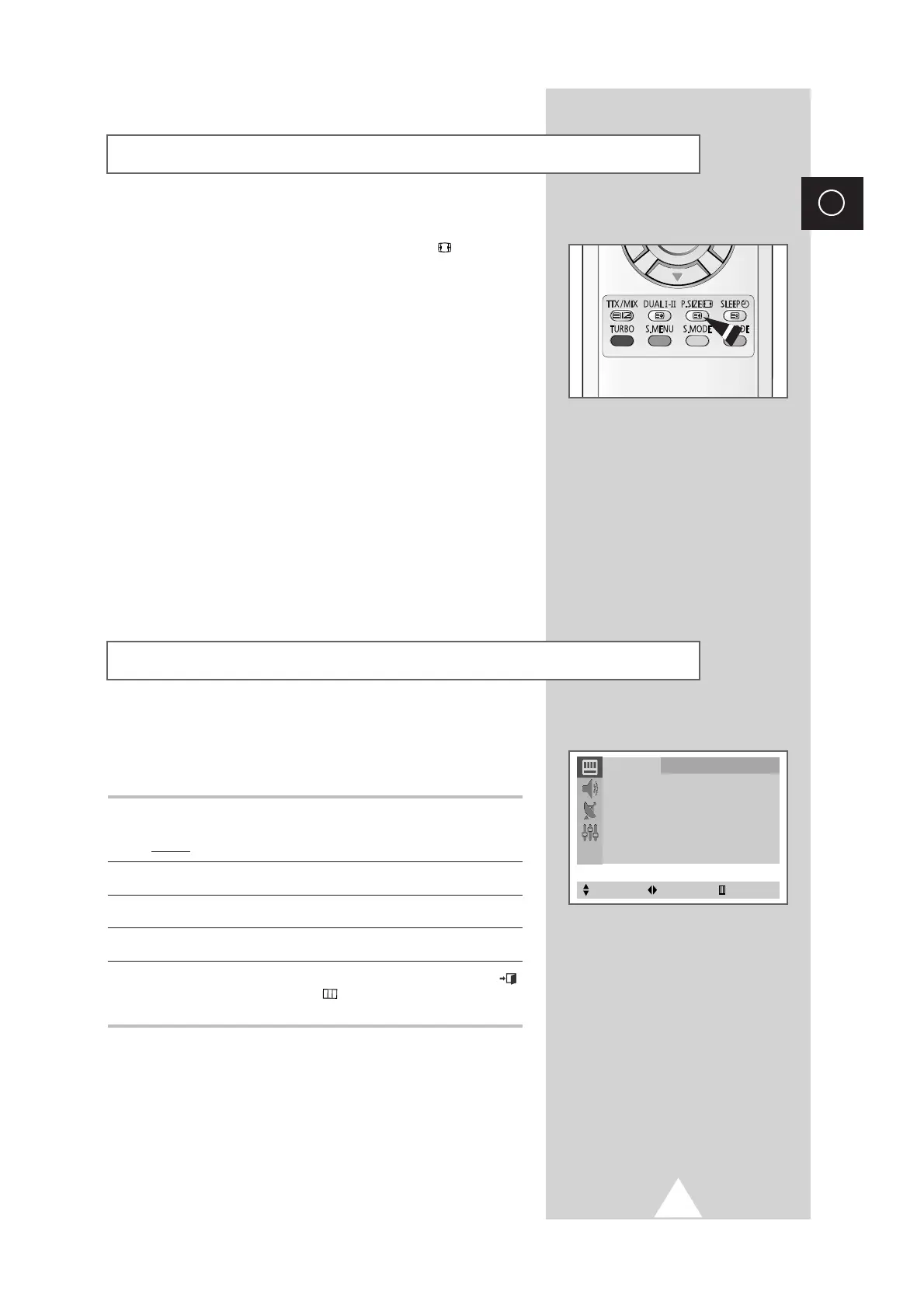
You can select the picture format which best corresponds to your
viewing requirements by simply pressing the “P.SIZE ( )
”
(Picture
size) button on the remote control.
Depending on the model, the following picture formats are
available in the order given:
◆ Normal
◆ Zoom
◆ 16:9
Selecting the Picture Format
Using the Tilt Control Feature (depending on the model)
If you find that the picture received is slightly tilted to one side, you
can adjust the tilt setting.
1 Press the MENU button.
Result: The
Picture
menu is displayed.
2 Press the œ or √ button.
3 Press the ▲ or ▼ button to select the
Tilt
.
4 To adjust the
Tilt
(±7) by pressing the + or – button.
5 When you are satisfied with the settings, press the EXIT ()
button, or press the MENU () button repeatedly to return to
normal viewing.
Picture
Mode
œœ
Custom √
Adjust √
Digital NR : Off
Tilt : 0
Select Adjust Exit



 To Next Page