English - 1
AA68-03853A-00
➢
The actual configuration of your TV may be different,
depending on your model.
Control Panel
(depending on the model)
◆ You can use the 6 buttons to switch the TV on when it is
in standby mode depending on the model.
◆ The 5 and 6 buttons also have the same function as the
œ/√/†/… buttons on the remote control.
◆ If the remote control no longer works or you have
misplaced it, you can use the controls on the panel of the
television.
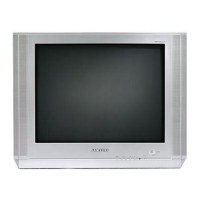
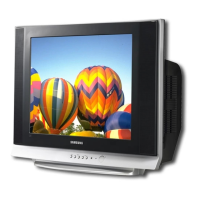
Front (or Side) Panel
1 Remote control sensor
2 Standby indicator
3 Power on/off
4 On-screen menu display
5 Volume adjustment
6 Channel selection
➢
The actual configuration of your TV may be different,
depending on your model.
Connection Panel
(depending on the model)
cable television network
Rear Panel
☛
Whenever you connect an audio or video system to your
television, ensure that all elements are switched off.
Connecting to an Aerial or Cable Television Network
Connect the aerial or network input cable to the 1 (75 Ω
coaxial socket).
To view television channels correctly, a signal must be
received by the set from one of the sources: an outdoor
aerial, cable television network, or satellite network.
If you are using an indoor aerial, you may need to adjust it
when tuning your television until you obtain a picture that is
both sharp and clear.
Connecting to the SCART Input/Output
The SCART2 and SCART3 connectors are used for
equipment, such as a VCR, DVD, decoder, satellite receiver,
video game device, or video disc player.
The SCART2 is also used for equipment with an RGB
output, such as a video game device or video disc player.
or
☛
Please be sure to match the color coded input terminals
and cable jacks.
Connecting to the RCA Input
The 1 (AUDIO-L/R) and 2 (VIDEO) connectors are used
for equipment, such as a camcorder, video disc player, or
video game device.
Connecting to the S-VIDEO Input
The 3 (S-VIDEO IN) and 1 (AUDIO-L/R) connectors are
used for equipment with an S-Video output, such as a
camcorder or VCR.
COLOR TELEVISION
Owner’s Instructions
Before operating, please read this manual thoroughly,
and retain it for future reference.
Register your product at
www.samsung.com/global/register
1 Audio input
2 Video input
3 S-Video input
Front (or Side) Panel
AA68-03853A-00Eng_E.asia 4/21/06 3:45 PM Page 1

 Need help?
 General

 To Next Page