12
CONNECTING A DEVICE TO THE DUAL DOCK
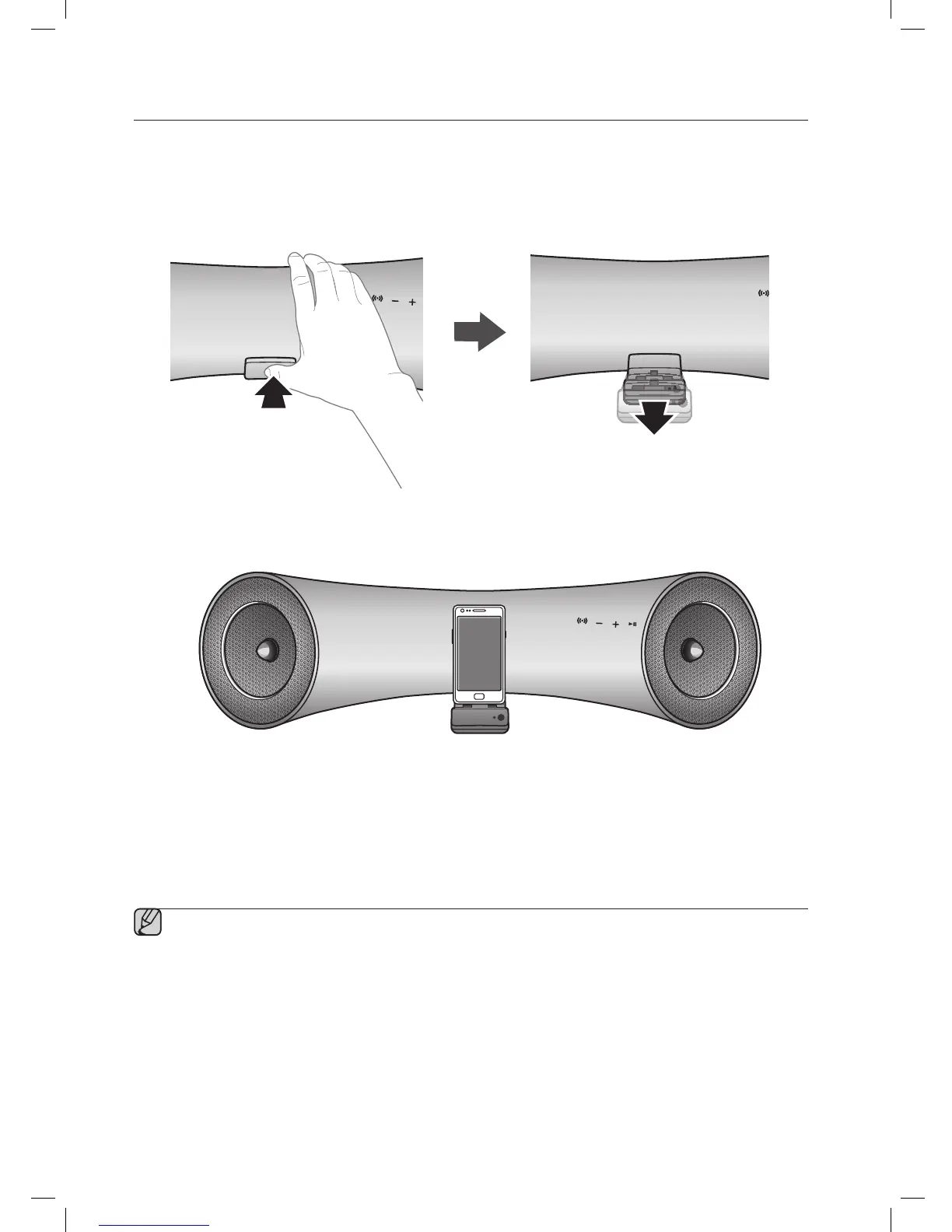
How to connect a device to the Dual Dock.
1. The DUAL DOCK is located on the front of the product. To open, push it in gently.
2. If you have a Samsung Galaxy device, connect the device to the 5 pin (smaller) connector to connect to the Dual
Dock. If you have a Apple device, connect the device to the 30 pin (larger) connector on the Dual Dock.
▪ Turn on your Samsung Galaxy device before you attach it to the Dual Dock.
▪ This unit doesn't support the simultaneous docking of Samsung Galaxy and Apple devices.
▪ Connect your Samsung Galaxy or Apple device to the Dual Dock before starting Docking mode.
(See page 16)



 To Next Page